- OCLC has used litigation to eliminate competitors: BTCat (2025 injunction + B&T bankruptcy) and MetaDoor (2022 settlement)
- ILL remains the biggest lock-in — OCLC owns WorldShare ILL, Tipasa, ILLiad; Relais is the main non-OCLC option
- Open-source options: Koha and Evergreen support Z39.50 copy cataloging; BiblioteQ is standalone
- Growing community frustration — OCLC seen as gatekeeper over collectively-created metadata
- OCLC laid off ~80 staff in July 2025, citing AI
A comprehensive guide to putting Sierra’s web OPAC behind Cloudflare: what works, what breaks, and what to watch out for. Compiled from the IUG 2026 Sys Admin Forum discussion and follow-up research.
Table of Contents
- Why This Matters Now
- Architecture Overview
- DNS and SSL/TLS Setup
- Cloudflare WAF Rules for Sierra
- Bot Management
- Caching Strategy
- Rate Limiting
- Page Rules and Transform Rules
- Known Issues and Gotchas
- Free vs. Paid Tiers
- Comparison: Cloudflare vs. F5/fail2ban
- Alternative: Anubis (Proof of Work)
- Practical Recommendations
- Sources and Further Reading
Why This Matters Now
AI bot scraping became a serious problem for libraries starting in late 2024. The scale is unprecedented.
The scope of the problem
- Biodiversity Heritage Library saw traffic spike to 10x normal levels, periodically making the site inaccessible. Bots loaded pages as a human would (using real browser user-agents), making them hard to distinguish. Traffic came from distributed IPs worldwide, defeating simple IP-based blocking.
- UNC Chapel Hill library catalog was “receiving so much traffic that it was periodically shutting out students, faculty, and staff.”
- Project Gutenberg and OAPEN both had outages directly caused by AI scraper bots.
- ByWater Solutions (hosting provider for Koha and Aspen Discovery) responded by deploying Cloudflare across all hosted customers — 95% of Aspen and 60% of Koha libraries as of mid-2025.
- Open Fifth (UK Koha hosting) reported some sites receiving over 1 million requests per week, with only a few thousand being genuine.
- Duke University rolled out Anubis (proof-of-work challenge) in June 2025.
The common pattern
Bots don’t identify themselves as GPTBot/GoogleBot/BingBot, they ignore robots.txt, they use residential proxies, and they crawl at rates that overwhelm library infrastructure not designed for that load.
Bottom line: Any library running a public-facing OPAC or catalog is a target. Sierra WebPAC is no exception.
Architecture Overview
What Cloudflare Does
Reverse proxy model
Cloudflare acts as a reverse proxy. All HTTP/HTTPS traffic to your OPAC domain flows through Cloudflare’s network before reaching your Sierra server. This gives Cloudflare the ability to:
- Filter malicious requests (WAF)
- Challenge suspected bots
- Cache static content (reducing load on Sierra)
- Absorb DDoS attacks
- Provide analytics on traffic patterns
- Block AI scrapers
What Cloudflare Does NOT Protect
Non-HTTP protocols and limitations
Cloudflare’s standard proxy only handles HTTP/HTTPS traffic on specific ports. It does not protect:
- Z39.50 (port 210) — non-HTTP protocol, passes through DNS-only
- SIP2 (port 6001 typically) — non-HTTP protocol, passes through DNS-only
- Sierra API on non-standard ports — only if on a supported port
- MARC file downloads — these work through HTTP but may be affected by JS challenges (see Known Issues)
Cloudflare-supported HTTP ports: 80, 8080, 8880, 2052, 2082, 2086, 2095
Cloudflare-supported HTTPS ports: 443, 2053, 2083, 2087, 2096, 8443
Note: Sierra’s WebPAC staging server runs on port 2082, which happens to be a Cloudflare-supported HTTP port. The live WebPAC typically runs on port 80/443.
For non-HTTP protocols on arbitrary ports, Cloudflare Spectrum (Enterprise only) can proxy TCP/UDP traffic. This is the only way to protect Z39.50 or SIP2 through Cloudflare — and it requires an Enterprise plan.
Sierra Deployment Models
| Deployment | Cloudflare Setup |
|---|---|
| Self-hosted / on-premise | Full control — point DNS to Cloudflare, configure as needed |
| III cloud-hosted | May need to coordinate with III — you may not control DNS or the web server directly |
| Vega Discover (SaaS) | Likely already behind III’s own CDN/WAF — limited customization |
DNS and SSL/TLS Setup
Step 1: Move DNS to Cloudflare
Initial setup
- Create a Cloudflare account and add your OPAC domain
- Cloudflare will scan existing DNS records
- Update your domain’s nameservers to Cloudflare’s assigned nameservers
- Set your Sierra OPAC’s A/AAAA/CNAME record to Proxied (orange cloud) — this routes traffic through Cloudflare
Critical: Only proxy the web OPAC record. Leave other records as DNS-only (gray cloud) for:
- Z39.50 hostname (if separate)
- SIP2 hostname (if separate)
- Mail (MX) records
- Any non-HTTP services
Step 2: SSL/TLS Configuration
Encryption mode
Set encryption mode to Full (Strict). This encrypts traffic both:
- Browser ↔ Cloudflare (Cloudflare’s free universal SSL cert)
- Cloudflare ↔ your Sierra origin server (requires a valid cert on origin)
Origin certificate options
- Cloudflare Origin CA certificate (free, 15-year validity) — only trusted by Cloudflare, so only works when traffic comes through Cloudflare
- Standard CA certificate (e.g., Let’s Encrypt) — works whether or not traffic routes through Cloudflare
Recommendation: Use a Cloudflare Origin CA cert if you’re committed to keeping all traffic through Cloudflare. Use Let’s Encrypt if you want flexibility to bypass Cloudflare temporarily for troubleshooting.
Never use “Flexible” SSL mode — this leaves the Cloudflare-to-origin connection unencrypted, which is a security risk, especially for patron login traffic.
Step 3: Restore Real Visitor IPs
Why this matters
When Sierra sits behind Cloudflare, all requests appear to come from Cloudflare’s IP addresses. You need to restore the real visitor IP for:
- Sierra’s session management (which can fall back to IP-based sessions)
- Access logs and security monitoring
- Any IP-based access controls
Cloudflare sends the real IP in the CF-Connecting-IP header and also appends to X-Forwarded-For. Configure your web server (Apache/Nginx in front of Sierra) to trust these headers from Cloudflare’s IP ranges.
Cloudflare WAF Rules for Sierra
Sierra WebPAC URL Patterns to Know
| Path Pattern | Function | Sensitivity |
|---|---|---|
/ |
Main menu, resets session | Public |
/search/... |
Catalog search (by index) | Public, high traffic |
/patroninfo/... |
Patron account (My Account) | Authenticated — protect |
/record/... |
Individual bib/item records | Public |
/xrecord/... |
XML record export | Public but abusable |
/iii/sierra-api/... |
REST API (v5/v6) | Authenticated — protect |
/screens/... |
WebPAC template files | Static assets |
Recommended Custom WAF Rules
Rule 1: Challenge non-browser traffic to patron login
Action: Managed Challenge
(http.request.uri.path contains "/patroninfo" and not cf.bot_management.verified_bot)
Rule 2: Block direct access to API from non-allowlisted IPs
Action: Block
(http.request.uri.path contains "/iii/sierra-api" and not ip.src in {YOUR_TRUSTED_IPS})
Rule 3: Challenge suspicious user agents on search pages
Action: Block
(http.request.uri.path contains "/search" and (http.user_agent contains "python" or http.user_agent contains "curl" or http.user_agent contains "wget" or http.user_agent contains "scrapy") and not cf.bot_management.verified_bot)
Rule 4: Block XML record bulk harvesting (unless from known partners)
Action: Managed Challenge
(http.request.uri.path contains "/xrecord" and not ip.src in {OCLC_IPS DISCOVERY_IPS})
Managed Rulesets
Enable these (available on all plans at varying levels)
- Cloudflare Free Managed Ruleset — basic protection against high-profile CVEs, SQLi, XSS (all plans)
- Cloudflare OWASP Core Ruleset — broader SQLi/XSS/command injection protection (Pro plan and above)
- Cloudflare Managed Ruleset — Cloudflare’s proprietary rules (Pro+)
Bot Management
Tier Comparison for Bot Protection
| Feature | Free | Pro (~$20–25/mo) | Business (~$200–250/mo) | Enterprise |
|---|---|---|---|---|
| Bot Fight Mode | Basic | — | — | — |
| Super Bot Fight Mode | — | Yes | Yes | — |
| Bot Management (full) | — | — | — | Yes |
| Verified bot allowlist | — | Yes | Yes | Yes |
| Bot score analytics | — | Yes | Yes | Yes |
| AI Scrapers one-click block | Yes | Yes | Yes | Yes |
AI Scraper Blocking (All Plans)
One-click AI crawler blocking
Navigate to Security → Bots and enable “AI Scrapers and Crawlers” toggle. This blocks known AI crawlers (GPTBot, CCBot, etc.) and is updated by Cloudflare as new bot signatures are identified. Available on all plans including free.
As of July 2025, Cloudflare blocks AI crawlers by default for new zones.
Verified Bots — The Library-Specific Challenge
Cloudflare maintains a verified bots directory of known good bots (Googlebot, Bingbot, etc.) verified via reverse DNS. The concern for libraries is that library-specific bots are generally NOT on this list.
| Service | Bot Behavior | On Cloudflare Verified List? | Mitigation |
|---|---|---|---|
| Googlebot | Crawls OPAC for search indexing | Yes | Auto-allowed |
| Bingbot | Same | Yes | Auto-allowed |
| OCLC WorldCat harvesting | Harvests MARC records | Unlikely | Allowlist by IP |
| EBSCO EDS connector | Queries OPAC for discovery | No | Allowlist by IP |
| Ex Libris Primo/Summon | Queries OPAC for discovery | No | Allowlist by IP |
| EZproxy | Proxies patron requests | No | Allowlist by IP |
| Link resolvers (SFX, 360 Link) | Checks availability | No | Allowlist by IP |
| Google Scholar | Crawls for academic citations | Check verified list | Usually verified |
Critical: EZproxy + Cloudflare
OCLC explicitly documents this: “You can use Cloudflare with EZproxy. Make sure you list your on-campus IP addresses, EZproxy Server IP address, and EZproxy name with Cloudflare.” If you don’t allowlist your EZproxy server IP, Cloudflare will challenge EZproxy traffic and potentially block patron access to the catalog from off-campus.
Create a WAF rule:
(ip.src in {EZPROXY_IP ON_CAMPUS_RANGES OCLC_IPS DISCOVERY_LAYER_IPS})
Action: Skip (all remaining rules)
Place this rule first in your rule order so trusted traffic bypasses all challenges.
Super Bot Fight Mode (Pro+) Configuration
Recommended settings for a library OPAC
- Definitely automated: Challenge
- Likely automated: Challenge
- Verified bots: Allow
- Static resource protection: On (protects images, CSS, JS)
- JavaScript detections: On
Caching Strategy
What to Cache
Sierra serves a mix of public catalog pages and authenticated patron content. The caching strategy must be careful.
| Content Type | Cache? | Notes |
|---|---|---|
| Static assets (CSS, JS, images) | Yes | Long TTL (1 day+) |
/screens/... template files |
Yes | WebPAC templates |
Catalog search results /search/... |
Maybe | Short TTL (5 min) if desired, but dynamic content — test carefully |
Individual bib records /record/... |
Maybe | Short TTL, but patron-specific elements may appear |
/patroninfo/... |
NEVER | Authenticated patron data |
/iii/sierra-api/... |
NEVER | API responses with patron PII |
| MARC downloads | No | Dynamic, binary content |
Cache Rules Configuration
Rule 1: Bypass cache for authenticated paths
Match: URI path contains /patroninfo OR URI path contains /sierra-api
Setting: Bypass Cache
Rule 2: Bypass cache when session cookie present
Match: Cookie contains III_SESSION (or your Sierra session cookie name)
Setting: Bypass Cache
Note: “Bypass Cache on Cookie” requires a Business plan or a Cloudflare Worker on lower plans.
Rule 3: Cache static assets aggressively
Match: URI path contains /screens/ OR file extension in {css js png jpg gif ico svg woff woff2}
Setting: Cache Everything, Edge TTL 1 day, Browser TTL 4 hours
Default behavior
By default, Cloudflare only caches static file extensions (images, CSS, JS, fonts). It does not cache HTML pages unless you explicitly tell it to. This is actually a safe default for Sierra — it means patron pages won’t be accidentally cached.
Rate Limiting
Rate limiting rules are available on all plans (IP-based). Advanced grouping by cookie/header/ASN requires Business+. Here are sensible defaults for a library OPAC.
Rule 1: Protect patron login
(http.request.uri.path contains "/patroninfo" and http.request.method eq "POST")
Characteristics: IP · Period: 1 minute · Requests: 5 · Action: Managed Challenge · Duration: 15 minutes
Mirrors Cloudflare’s built-in “Protect My Login” pattern: 5 attempts per minute, then challenge for 15 minutes.
Rule 2: Rate limit catalog searches
(http.request.uri.path contains "/search")
Characteristics: IP · Period: 1 minute · Requests: 30 · Action: Managed Challenge · Duration: 10 minutes
A human doing catalog searches will rarely exceed 30 per minute. A scraper will hit this quickly.
Rule 3: Rate limit API requests (if API is exposed)
(http.request.uri.path contains "/iii/sierra-api")
Characteristics: IP · Period: 1 minute · Requests: 60 · Action: Block · Duration: 10 minutes
Rule 4: Global rate limit (DDoS backstop)
(http.request.uri.path ne "/")
Characteristics: IP · Period: 10 seconds · Requests: 50 · Action: Managed Challenge · Duration: 10 minutes
Any single IP making 50+ requests in 10 seconds is almost certainly not a human.
Important: Rate limiting counters may have a delay of a few seconds. Don’t rely on rate limiting for precise request counts — it’s a backstop, not a metering system.
Page Rules and Transform Rules
Cloudflare is migrating from legacy Page Rules to the newer Rules products (Cache Rules, Configuration Rules, Transform Rules, Origin Rules, Redirect Rules). Use the new system if available.
Useful Rules for Sierra
Security Level for patron pages (Configuration Rule)
Match: URI path contains /patroninfo
Setting: Security Level = High
Sets a higher threshold for challenges on authenticated pages.
Force HTTPS (Redirect Rule)
Match: scheme eq "http"
Action: Redirect to HTTPS (301)
All OPAC traffic should be HTTPS, especially patron login.
Custom error pages (Configuration Rule)
Present a library-branded error page instead of Cloudflare’s generic challenge page. This reduces patron confusion when they encounter a bot challenge.
Disable apps/features on API paths (Configuration Rule)
Match: URI path contains /iii/sierra-api
Settings: Disable Performance, Disable Apps, Disable Minification
API responses should not be modified by Cloudflare’s optimization features.
Known Issues and Gotchas
1. Session cookie handling
Sierra WebPAC uses cookies for session management, falling back to IP-based sessions if cookies aren’t available. Behind Cloudflare:
- Cloudflare adds its own cookies (
__cflbfor load balancing,__cf_bmfor bot management,cf_clearancefor challenge bypass). These should not conflict with Sierra’s session cookies but increase cookie header size. - If you’re using Cloudflare + F5: F5 BIG-IP sets a session cookie at the beginning of a TCP connection and then ignores cookies on subsequent requests on the same TCP connection. Cloudflare multiplexes HTTP sessions over single TCP connections, which breaks F5 session affinity. This is a documented incompatibility.
2. Z39.50 traffic (port 210)
Cloudflare’s proxy cannot handle Z39.50. It’s not HTTP. Options:
- Use a separate DNS record (gray-clouded / DNS-only) for Z39.50
- Use Cloudflare Spectrum (Enterprise only) for TCP proxy
- Accept that Z39.50 traffic bypasses Cloudflare protection
3. SIP2 traffic (typically port 6001)
Same situation as Z39.50 — SIP2 is a raw TCP protocol. Self-checkout machines, automated materials handling, and other SIP2 clients must connect to a DNS-only record or directly to the server IP.
4. Sierra REST API
The Sierra API (v5/v6) runs over HTTPS, so it can go through Cloudflare. However:
- Disable Cloudflare’s minification and optimization for API paths (it can corrupt JSON responses)
- Disable Rocket Loader (Cloudflare’s JS optimization) on API paths
- Watch for
X-Forwarded-Forissues — if your API implementation uses client IP for anything, ensure you’re readingCF-Connecting-IP - Rate limiting on the API must account for your own automated processes (cronjobs pulling data, middleware polling, etc.)
5. MARC record downloads
MARC downloads from the OPAC (.mrc binary files) should work through Cloudflare, but:
- Ensure Cloudflare’s JavaScript challenge isn’t triggered for these paths — MARC download clients (MarcEdit, automated scripts) typically can’t solve JS challenges
- Consider a skip rule for known MARC harvesting IPs
- Binary content types pass through Cloudflare fine, but non-browser clients will fail challenges
6. JavaScript challenges and non-browser clients
Cloudflare’s Managed Challenges and JS Challenges require a browser environment to solve. Any service that accesses your OPAC without a full browser will fail:
- Link resolvers checking holdings
- Discovery layer connectors
- MARC harvesters
- Screen scrapers used for ILL
- Automated monitoring tools
You must allowlist these services by IP before enabling aggressive bot protection.
7. WebPAC staging server (port 2082)
Sierra’s staging WebPAC runs on port 2082. This is a Cloudflare-supported HTTP port, so it could be proxied. However, you probably want to keep staging access restricted — either leave it DNS-only or add a WAF rule blocking external access to port 2082.
8. Encore/Vega compatibility
If you’re running Encore or Vega Discover in addition to WebPAC:
- Encore makes heavy AJAX calls — test thoroughly that Cloudflare’s optimization features (Rocket Loader, Auto Minify) don’t break JavaScript
- Vega is III’s cloud SaaS product — you likely can’t put it behind your own Cloudflare instance since III controls the infrastructure
Free vs. Paid Tiers
What Matters for a Library Protecting Sierra
| Feature | Free | Pro (~$20–25/mo) | Business (~$200–250/mo) | Enterprise |
|---|---|---|---|---|
| DDoS protection | Unmetered | Unmetered | Unmetered | Unmetered |
| SSL/TLS (Universal) | Yes | Yes | Yes | Yes |
| AI Scraper blocking (1-click) | Yes | Yes | Yes | Yes |
| Bot Fight Mode | Basic | Super Bot Fight Mode | Super Bot Fight Mode | Full Bot Management |
| WAF custom rules | 5 | 20 | 100 | 1000 |
| WAF managed rules (free ruleset) | Yes | Yes | Yes | Yes |
| OWASP Core Ruleset | No | Yes | Yes | Yes |
| Rate limiting (IP-based) | Yes | Yes | Yes | Yes |
| Rate limiting (advanced grouping) | No | No | Yes | Yes |
| Bypass cache on cookie | No | No | Yes | Yes |
| Custom error pages | No | No | Yes | Yes |
| Spectrum (non-HTTP proxy) | No | No | No | Yes |
| Bot score analytics | No | Yes | Yes | Yes |
Recommendation by Library Size
Small public library, limited budget
Free tier gives you DDoS protection, basic bot fighting, AI scraper blocking, 5 WAF rules, and rate limiting. This is already a massive improvement over no protection.
Medium library or academic library
Pro (~$20–25/mo) adds OWASP rules, 20 WAF rules, Super Bot Fight Mode with verified bot allowlisting, and bot analytics. Best value for most Sierra installations.
Large academic or consortium
Business (~$200–250/mo) adds bypass-cache-on-cookie (important for patron sessions), 100 WAF rules, advanced rate limiting, and custom error pages.
Major research library
Enterprise if you need Spectrum for Z39.50/SIP2 protection or full Bot Management with bot score granularity.
Project Galileo
Free Business-tier features for qualifying organizations
Cloudflare’s Project Galileo provides Business and Enterprise-tier features for free to qualifying organizations facing cyber threats. Participants get Bot Management, AI Crawl Control, and Zero Trust security products at no cost. It’s designed for journalism, human rights, and civil society groups. Public libraries may qualify depending on circumstances — worth applying if your library has been targeted by attacks.
Comparison: Cloudflare vs. F5/fail2ban
This was discussed at the IUG 2026 Sys Admin Forum. Jeff reported his library uses F5 with fail2ban and has “had good luck.” Here’s how the approaches compare.
| Aspect | Cloudflare | F5 + fail2ban |
|---|---|---|
| Cost | Free tier available; Pro ~$20–25/mo | F5 hardware: $10K–$100K+; fail2ban: free |
| Setup complexity | DNS change + dashboard config | Network appliance + Linux server + custom filters |
| DDoS protection | Absorbs at edge (Cloudflare network) | Limited to your bandwidth/hardware |
| Bot intelligence | Global threat data, ML models, verified bot list | Pattern matching on your logs only |
| AI scraper blocking | One-click, continuously updated signatures | Manual rules, you maintain signatures |
| Rate limiting | Built-in, configurable per path | Custom fail2ban jails per log pattern |
| WAF rules | Managed rulesets + custom rules | F5 ASM (separate license) or manual |
| Handles distributed bots | Yes (global anycast network) | Poorly (each IP seen briefly, jail never triggers) |
| Non-HTTP protocols | No (unless Enterprise Spectrum) | Yes (F5 handles any TCP/UDP) |
| Latency | Adds ~1–5ms (edge PoP nearby) | Depends on network topology |
| Maintenance | Cloudflare updates rules/signatures | You maintain fail2ban filters and F5 configs |
| fail2ban + Cloudflare | Can combine: fail2ban triggers Cloudflare API to block IPs at edge | N/A |
Key Advantage of Cloudflare for the Current Threat
Distributed bots defeat IP-based blocking
The AI bot problem is distributed — bots use thousands of residential proxy IPs, each making only a few requests. fail2ban’s strength is banning IPs that show repeated bad behavior, but if each IP only makes 5 requests before rotating, the jail threshold is never reached.
Cloudflare’s ML-based bot detection looks at behavioral signals beyond IP: TLS fingerprint, HTTP/2 settings, mouse movement patterns, JavaScript execution behavior. This catches distributed bots that fail2ban misses.
Can You Combine Them?
Defense in depth
Yes. fail2ban can call the Cloudflare API to push blocks to the Cloudflare edge. This gives you defense-in-depth:
- Cloudflare catches known bots and AI scrapers at the edge
- fail2ban monitors Sierra’s logs for patterns that slip through
- fail2ban pushes offending IPs to Cloudflare’s blocklist via API
The Cloudflare API for fail2ban is documented but has had compatibility issues (check the Cloudflare Community thread for current status).
Alternative: Anubis (Proof of Work)
Anubis is an open-source reverse proxy that presents a proof-of-work JavaScript challenge before allowing access. It’s being adopted by libraries as a Cloudflare alternative or complement.
Library adoption
- Duke University deployed Anubis in June 2025
- Open Fifth uses Anubis for Koha instances where they don’t control DNS (Cloudflare requires DNS control)
- BHL used Cloudflare + other mitigations
How it works
Anubis sits in front of your web server. First-time visitors get a small JS challenge (SHA-256 proof of work, ~2 seconds in a browser). Bots running with minimal compute resources can’t solve it economically at scale.
Pros
- Free and open source
- Self-hosted, no third-party dependency
- Works when you don’t control DNS
- Being considered as a Koha plugin/default option
Cons
- Requires JavaScript — breaks all non-browser clients
- Adds friction for legitimate patrons (brief delay on first visit)
- Skeptics argue the compute cost for bots is negligible at scale
- Doesn’t provide DDoS protection, caching, or WAF features
Verdict
Anubis is a good complement to Cloudflare for specific high-traffic paths, or a standalone option when Cloudflare isn’t feasible. It’s not a full replacement for Cloudflare’s broader security suite.
Practical Recommendations
If You’re Starting from Zero
Step-by-step deployment
- Sign up for Cloudflare Free and point your OPAC DNS to Cloudflare
- Set SSL/TLS to Full (Strict) with a Cloudflare Origin CA cert
- Enable AI Scrapers and Crawlers blocking (one click, immediate effect)
- Create IP allowlist rules for EZproxy, discovery layer, OCLC, and other trusted services BEFORE enabling any blocking rules
- Add rate limiting on
/patroninfo(login) and/searchpaths - Keep Z39.50 and SIP2 on DNS-only records
- Test thoroughly — especially patron login, MARC downloads, discovery layer integration, and any automated processes that query the OPAC
If You’re Already Behind an F5
Layered approach
Consider adding Cloudflare in front of the F5 (Cloudflare → F5 → Sierra):
- Cloudflare handles DDoS and bot filtering at the edge
- F5 handles application-level load balancing and non-HTTP protocols
- Watch for session affinity issues between Cloudflare and F5 cookies
The Minimum Viable Protection (15 Minutes)
For a sys admin who needs something deployed today
- Cloudflare Free account
- Change DNS nameservers
- Orange-cloud your OPAC A record
- Enable “AI Scrapers and Crawlers” toggle
- Done — you now have DDoS protection and AI bot blocking
Then iterate on WAF rules, rate limiting, and caching as time allows.
Monitoring
After deploying Cloudflare
- Check the Security → Overview dashboard for blocked threats
- Review Bot Analytics (Pro+) to understand your traffic mix
- Monitor Sierra’s own logs — if you see high traffic from Cloudflare IPs, you may need to configure
CF-Connecting-IPheader restoration - Set up Cloudflare notifications for DDoS attacks and rate limit triggers
Sources and Further Reading
Library-Specific
- AI Bots Swarm Library, Cultural Heritage Sites, Causing Slowdowns and Crashes — Library Journal
- BHL Battling a Barrage of Bots — Biodiversity Heritage Library
- BHL Traffic Challenges — BHL
- Impact of AI Bots on Library Websites — Duke University Libraries
- Fighting the AI Bots — Open Fifth (Koha hosting)
- Are AI Bots Knocking Cultural Heritage Offline? — GLAM-E Lab
- Can I use EZproxy with Cloudflare? — OCLC Support
- How do I resolve issues with Cloudflare on websites with EZproxy — OCLC Support
Sierra/Innovative Documentation
- Sierra Command Links — III
- WebPAC My Account FAQ — III
- Sierra REST API — NYPL wiki
- Sierra System Administration — Innovative LibGuides
Cloudflare Documentation
- Cloudflare WAF Rate Limiting Best Practices — Cloudflare
- Rate Limiting Rule Examples — Cloudflare
- Super Bot Fight Mode — Cloudflare
- Block AI Bots — Cloudflare
- Verified Bots Directory — Cloudflare Radar
- Allow Verified Bot Traffic — Cloudflare
- Network Ports — Cloudflare
- SSL/TLS Full (Strict) — Cloudflare
- Origin CA Certificates — Cloudflare
- Cache Rules — Cloudflare
- Custom WAF Rules — Cloudflare
- Cloudflare Spectrum — Cloudflare
- Project Galileo — Cloudflare
- AI Crawl Control — Cloudflare
Alternative Tools
- Anubis — Proof of Work Anti-Bot — GitHub
- fail2ban with Cloudflare — Cloudflare Community
- Cloudflare + F5 Session Affinity — Cloudflare Community
An open Q&A session with Clarivate’s executive leadership team for the Innovative/public-library side of the Software Group. Topics ranged from Sierra’s future and the Vega platform strategy to public library headwinds, AI investments, and conference feedback. Multiple panelists emphasized a theme of improved communication with the customer community.
Panelists:
- Yoel Goldenberg — General Manager & Senior Vice President, Software Group (first IUG)
- Yariv Kursh — Senior Vice President of Sales, Software Group (previously General Manager)
- Ashley Barey — VP of Product Management (lost voice; first IUG, partnered closely with Yaniv on product + engineering)
- Yaniv Shmuel — VP of Engineering, Public (fourth IUG)
- Melissa Hilbert — VP, Global Professional Services, Software Group (~20+ years with the larger organization)
- Matt Baker — Senior Director, Customer Care
- Caroline Mason — Senior Director, Professional Services, Software Group (Innovative side, ~8 years)
- Caitlin Spears — Director, Customer Care
Panelist roster confirmed by Mike Dicus (Clarivate). Some Q&A attributions below appear as “Yoav” — per Mike, that refers to either Yoel Goldenberg or Yariv Kursh; the transcript could not be definitively disambiguated.
Key Takeaways
- Sierra is not going away. Over 400 customers remain; continued investment in releases, patches, Decision Center, and engineering. Sierra is also being actively sold internationally (Eastern Europe, Asia Pacific, Saudi Arabia).
- Vega is evolving from a collection of modules into a unified platform. Leadership acknowledged the current fragmentation (LX Starter, Interact, Discover, Promote) and committed to tighter integration — single sign-on, unified data, and a goal of seamless one-click experience.
- 3–5 year vision: Global expansion of public library products beyond the U.S., expansion beyond traditional libraries into other areas of the academic ecosystem, deeper AI integration via the Clarivate AI platform, and bringing academic-side innovations (like Alma Specto and Library Open Workflows) to the public side.
- New special collections product — Alma Specto (a digital asset management tool with AI-powered cataloging and search) announced February 2025 with full rollout expected early 2026; plans to extend to public libraries.
- AI-assisted data migrations are being developed by the Professional Services team to reduce the labor-intensive mapping process during new implementations.
- Support restructure effective April 1: tiered support model now expanded to Polaris (previously Sierra-only), with new staff and a promotion of Liz Biggs as Senior Team Lead for Polaris. Full details in Caitlin Spears’ session (Wednesday 1:30 PM).
- New Knowledge Portal soft-launched with AI-assisted chat for searching product documentation, plus a community resource directory accepting nominations.
- No plans to build a first-party mobile app — Clarivate will continue partnering with Solus but plans to improve API endpoints and documentation for a more seamless integration.
Panel Introductions
Each panelist introduced themselves. Yoav opened by noting the uniqueness of IUG compared to other Clarivate events (IGeLU, Lona/North American academic event), calling IUG a standout community. Several panelists were attending IUG for the first time. Caitlin Spears plugged her support restructure session at 1:30 PM and Ashley Barey encouraged attendees to attend the UX session before leaving.
Leadership Change Announcements & Corporate Communication
Q: Why can’t leadership changes be announced publicly sooner?
A (Yoav): As a publicly listed company, Clarivate is bound by strict policies and legislation on when and how organizational changes can be disclosed. Leadership rotations happen intentionally about once a year to share expertise across the business. The company communicates changes to the IUG steering committee first, then uses forums like this conference to announce to customers. There is no intent to hide changes — it is a compliance-driven format.
- The steering committee was briefed on recent changes (referenced “Eden”) ahead of the conference
- Public emails and press releases follow a regulated timeline
Sierra’s Future
Q: Can you speak to concerns about the lack of Sierra sales and whether Sierra will continue to be supported?
Key points from multiple panelists:
- “We continue selling and supporting Sierra.” — Yoav stated this emphatically
- Polaris is the primary solution for new North American public library customers, based on RSP requirements around security, growth, and modern capabilities
- Sierra is actively sold internationally — recent deals in Eastern Europe, Asia Pacific, and Saudi Arabia
- Saudi Arabia example: the Ministry of Education is planning 170 libraries over five years; their spec requirements pointed definitively to Sierra
- Over 400 Sierra customers remain globally — continued investment in releases, patches, and engineering
- Engineering investments include Decision Center analytics, linking integrations, and features being built for both Polaris and Sierra
- Product and engineering staff traveling from Belgrade, the West Coast, the East Coast, and other global offices to support Sierra customers
Academic Sierra customers in a public-library world
Q: Our consortium is mixed — mostly public but includes smaller academic institutions. Alma is not a good fit for us. What about continued support for academic features in Sierra?
- Leadership acknowledged academic Sierra customers are “caught between two worlds” — most academics attend IGeLU, so IUG is mostly public-focused
- Course reserves and serials functionality exists in Sierra but is considered legacy; those features don’t get strong enhancement traction due to small customer base
- Ashley Barey committed to taking this offline with the questioner and involving Mike (engineering) and Asaf (academic side)
- Discussed potentially organizing “birds of a feather” or table-talk sessions at future IUGs for academic attendees, specific consortium types, or regional groups
Vega Platform Strategy & Fragmentation Concerns
Q: How do you maintain the integrity of Polaris as an integrated library system when it’s becoming fragmented across modules?
(LX Starter for email notifications, Interact for SMS, Promote for marketing, Discover for OPAC)
Product perspective (Ashley Barey)
Acknowledged the current state honestly — Vega is a “work in progress” (used the metaphor of a “mason” — the building blocks are there but not fully connected yet). Investment is being made in three pillars:
- Access — Single sign-on (already completed); ensuring everyone can reach everything they need
- Data — Unifying data into one place for reporting and cross-product visibility (see: Vega Reports)
- UI — Single point of entry; App Launcher was released but adoption has been low; needs more visibility
Road maps will be overhauled in the June time frame — more uniform presentation, three items per card plus comments, borrowing from the academic side’s approach. Plans to add more ethnographic research to the roadmap process so customers can “see themselves” in planned features.
Engineering perspective (Yaniv Shmuel)
The platform approach means building shared foundations — e.g., Vega Reports serves both Polaris and Sierra without needing separate development. The goal is that individual Vega products (LX Starter, Interact, etc.) will eventually be a seamless out-of-the-box experience — “a click of a button, you don’t need to install anything.” Focused on creating solutions that work for both Polaris and Sierra customer bases.
Mobile App Strategy
Q: When will Clarivate develop its own mobile app instead of relying on the third-party Solus integration?
No current plans to build a first-party mobile app (aside from mobile work lists, which were recently released). Rationale: mobile app development is not Clarivate’s core competency; third-party specialists deliver richer functionality.
Planned improvements for 2026:
- Better support flows with Solus
- Exposing additional API endpoints for a more harmonious integration experience
- Consolidating Solus documentation into the new Knowledge Portal for a single reference point
Other Clarivate mobile apps exist on the academic side (Campus, etc.) but no crossover plans for 2026.
3–5 Year Vision
Global & business expansion (Yoav)
- International expansion of public library products beyond the U.S. — already seeing early success in several countries
- Expand beyond libraries into other areas of the academic ecosystem — developing new products potentially by 2027; cannot share details publicly yet due to being a listed company
- Another line of business is being explored alongside the traditional library market
Platform & product investment
- Continued investment in the ecosystem — bringing all Vega components together
- The Clarivate AI platform is being realized within the ILS products as well as in academic solutions
- Library Open Workflows and other academic-side innovations will be brought to the public library side
- Alma Specto — a digital asset management (DAM) tool with AI capabilities:
- Announced February 2025; full rollout expected early 2026
- Manages special collections (national libraries, academic libraries, public libraries)
- AI-powered cataloging, inventory management, and advanced search capabilities (compared to “Google Photos for your collections”)
- Plans to extend to public library customers
- Cross-pollination between academic and public engineering teams will bring more velocity — shared resources, shared platform investments
Unified platform vision (Yoav)
After COVID, Clarivate set a goal to unify everything a library needs — ILS through engagement tools — into a single ecosystem. Claims to be the only company in the market that brought physical and virtual library space together under one platform vision. Competitors referenced (without naming specifics): some have strong ILS but weak engagement tools; others have strong engagement but weak ILS. The vision continues: best-in-class ILS combined with patron experience management for both physical and digital interactions, across public and academic.
Public Library Headwinds
Q: What headwinds should public libraries be aware of on the software/services side?
Public libraries are facing existential crises — the question asked what to watch for.
1. Budget pressure
Budget cuts are impacting both public and academic libraries globally, not just in the U.S. Academic libraries increasingly need help demonstrating their value to their institutions. This pressure flows through to Clarivate’s business as well.
2. AI disruption
AI is reshaping the landscape — Clarivate is committed to leveraging AI rather than suffering from it. Using AI internally to become more efficient. Implementing AI in products carefully and responsibly (see: AI The Right Way session). “If you will not do it, you’ll stop being relevant” — Clarivate has been tracking this since the initial ChatGPT release (~2.5 years ago).
3. Changing patron behavior
How patrons interact with libraries is shifting — Clarivate is researching this carefully. Goal: give libraries the tools and capabilities to service patrons broadly across different segments. Also helping libraries market their services to their communities.
Communication & Transparency
A recurring theme across multiple questions and comments:
Status page
Attendees expressed appreciation for the server status page being made available — “for me, that is golden.” “It’s okay to be broken. You just need to know.”
Known issues list
Expanding the known issues portal to more products (Polaris and Discover coming). Helps reduce duplicate support tickets for already-identified problems. Encourages proactive transparency.
New Knowledge Portal
Soft-launched the week prior — a modern platform for product documentation, release notes, and product-related information. Features an AI-assisted chat that answers questions based on documentation content. Feedback function on every page. Community resource directory — libraries can nominate their own documentation, best practices, and tips for inclusion. Accessible via banners on existing documentation sites.
Roadmap communication
Roadmaps will be overhauled in June for better uniformity and clarity. Clarivate steering committee members meeting over lunch to discuss further communication improvements. Interest in reviving Strategic Partners / Vega meetings, consortium-specific gatherings, and release-focused webinars. Recently launched a cloud webinar series; more tools coming.
Conference Structure Feedback
Q (from Yoav to attendees): What feedback do you have about the structure of the event?
- Culture difference between public and academic libraries is very noticeable — IUG has a distinct community feel compared to academic conferences
- Session content has been meaningful and useful
- Venue space has been tight — Clarivate team members hesitant to take seats when rooms are at or beyond capacity; feedback to steering committee that larger venues would help
- Anne Paul (San Diego County Library) — first-time attendee, struck by the legacy and passion of long-time community members; encouraged to come by committed team members and glad she did
- The continuity of people who have been through mergers and acquisitions and “bumped along in a passionate way” was noted as a strength of the community
Cross-References
- Caitlin Spears’ Support Restructure Session — Wednesday 1:30 PM, detailed announcement of tiered support for Polaris (notes not yet captured)
- Vega Reports and Analytics — Tuesday session covering Vega Reports for Discover, Polaris, and Sierra
- AI The Right Way — Tuesday session on Clarivate’s responsible AI approach
- UX Session — referenced by Ashley Barey (time/room not specified in transcript)
- NYPL (New York Public Library) — also noted as an early adopter (per Jeremy; specific product/initiative TBD)
A roundtable discussion among Sierra libraries of varying sizes — from 12-branch systems to a 129-library consortium — sharing practical experience with floating collections, the tools they've built or adopted, and the gaps that remain. An Innovative staff member joined to gather input on Vega Reports priorities.
| System Size | Float Status | Key Tools |
|---|---|---|
| 79 locations / 39 branches | Active float, fully mapped | Library IQ |
| 24 branches (Tulsa City County) | Active float | Library IQ, vendor grids |
| 12 locations (growing to 14) | Pilot projects | Custom Sierra API tools |
| 129-library consortium | Exploring — potential new member | Sierra float rules |
| Cincinnati & Hamilton County PL | API development | Custom bulk-hold web app |
The tools
Multiple libraries use Library IQ to map entire collections and set optimal shelf sizes per area. Librarians see which branches are "pooling" (over capacity) and which are in "drought" (under capacity). CollectionHQ (Baker & Taylor) is also in use for evidence-based stock management.
In 2024, Innovative partnered with Library IQ to offer analytics within the Vega LX portfolio. Decision Center (Innovative's legacy analytics product) was discussed but is being de-emphasized.
The gap
Knowing you need to move 10 items from branch A to B is helpful, but no tool provides good criteria for which specific items to move. Participants wanted filters based on: last checkout date, item created date, total circulations (including zero-circ items), and whether the receiving branch has seen the title recently.
How Tulsa does it (24 branches)
All branches mapped with defined shelf capacity. Staff instructions for pulls: "Send 100 picture books. Pull A through Z. Don't pull everything from one area. Avoid duplicates." Typical float volume: 50–300 items between branches. Title-level pick lists were abandoned — nobody has time to process item-by-item lists at that scale.
The resistance curve
Initial resistance is strong, but libraries don't want to go back. Branch staff have deep ownership of "their" shelves. If you say "pull 20 items," staff will pull the worst — they want to keep the best for their customers. One system avoided floating juvenile nonfiction because they feared staff would game the system.
But after about a year of floating, one system offered to let branches opt out. They unanimously refused. The constant refreshment of paperbacks, media, and large print was too valuable.
Delivery logistics drive everything
Float timing is constrained by delivery schedules. One system sends requests Monday (busiest delivery day) so staff can start sending Wednesday when trucks are lighter. The day with the lowest delivery volume is the best day to trigger automated float requests.
When branches need items for programs, displays, or to fill collection gaps, the standard answer is "just place holds." But this is tedious — staff have to search individually, find available copies at other branches, and place holds one at a time. Several libraries have built API-driven tools to automate this.
Approach 1: Disposable patron accounts + barcode import
A web application using the Sierra REST API allows staff to import a list of barcodes (a "shopping list") and place bulk item-level holds to route everything to a target branch.
Key innovation: Sierra enforces a ~2,000 hold limit per patron card. Rather than juggling multiple admin cards, this tool creates a temporary patron account on the fly via the API — patron expiration and "not needed after" date both set to 30 days. Each batch is a self-contained, trackable unit. After 30 days, the patron and unfilled holds auto-expire.
Approach 2: Bib-based and patron-based bulk placement
A consortium participant shared two complementary tools:
- Patron-to-bib: Bib record number + patron CSV → hold placed for every patron
- Bib-to-location: Items or bib + target location → all items sent to one branch
For their floating pilot, they automated return-to-home with a weekly script: any item on the shelf longer than X days gets a hold placed to send it home. Set to run on the lowest-delivery day to avoid overwhelming staff.
Approach 3: Item status changes instead of holds
Several participants raised concerns about hold contention — bulk holds can impact patron access and add paging burden. The group discussed using item status codes instead: a dynamic "shopping" status with auto-expiration (similar to how "missing" has stages). Sierra's Circa tool already supports batch status changes via barcode scanning.
The blocker: Sierra Scheduler can't currently execute API calls. If it could, libraries could chain Create Lists queries with API-driven status changes on a schedule.
Sierra API Limitation: Holds Are Not First-Class Citizens
When you place a hold via the Sierra REST API's POST endpoint, the response is HTTP 204 No Content — the body is empty and no hold ID is returned. Since holds aren't a first-class record type in Sierra, there's no reliable way to programmatically track a specific hold after placement.
Workaround: immediately GET the patron's hold list and identify the new hold by timestamp or record number. This is fragile and doesn't scale well for bulk operations.
Sierra API docs: Documentation (v6.6) · Interactive sandbox · Developer portal
The core problem
Sierra stores only current state for item locations. There is no built-in way to answer: Where has this item been over the last year? How long does it take to get from branch A to B? What is the actual flow pattern of our floating collection?
"Administration always asks how long it takes to get from A to B. And you can't answer that."
What's missing from transaction data
Items passing through a sorter while already checked in produce no circulation transaction — no status change means nothing is recorded. There's no shipping/tracking log for physical items.
Workarounds in Use
| Approach | How It Works | Limitations |
|---|---|---|
| Collection snapshots | Dump entire collection locations at regular intervals, diff over time | Storage-heavy, requires custom tooling |
| Annual checkout rankings | Rank branches by format checkout frequency to inform float decisions | Only annual granularity, reactive |
| Inventory check-in analysis | Check in every item over a month; analyze where things ended up | Recent improvement — now creates transactions |
The data lake hope: Vega Reports
Vega Reports (launched April 7, 2026) is expected to create a data lake with regular snapshots of ILS data. If it captures item location changes over time, it could solve the historical tracking problem. Currently surfaces Vega Discover data; Sierra ILS integration is on the roadmap.
The concept: Instead of float rules that simply say "this item type floats between these locations," the system makes intelligent routing decisions at check-in based on real-time collection state.
Example: A copy is returned at Branch A, which already has 8 copies. Branch B has only 2 and hasn't seen this title in 18 months. The system creates a transit request to send it to Branch B.
Proposed parameters
- Maximum duplicates per branch — "this branch can only have 3 copies"
- Recency filter — "only send to branches that haven't had this title in X months"
- Capacity awareness — if no branch qualifies by title, send to the branch with the most available shelf space
- Format-aware — different rules for different material types
Precedents that prove it's possible
Automated sorters already implement routing logic at check-in. Polaris has related functionality. Lyngsoe Systems' IMMS is an RFID-based platform that tracks every item movement and supports automated routing — a hardware-based version of what this group wants in software.
Sierra's own floating collection configuration supports rule-based float at check-in, but lacks the dupe-aware, capacity-aware intelligence discussed here.
Idea Exchange submission planned
Elizabeth Wright committed to submitting this as an Idea Exchange enhancement request. The group's advice: don't just click the vote button — write a comment with your library's specific use case. Reach out to other floating libraries to build support. Even contact non-floating libraries: "You might want to float someday."
The challenge
How do you ensure new acquisitions are distributed fairly when items naturally drift toward high-demand branches? Small branches with heavy reader populations see popular items float away quickly.
| Strategy | How It Works |
|---|---|
| Rotating vendor grids | Acquisitions grids cycle through branches — small branches get the same percentage of new items as large ones |
| Assign to one branch | For high-hold items (Lucky Day / Quick Picks), assign to one branch — holds will distribute them naturally |
| Percentage-based allocation | Allocate new items proportionally so no branch feels underserved |
The scenario
A library with an existing floating collection wants to join a 129-library consortium where no one else floats.
The consensus: it would just work
Sierra's float rules are scoped to the floating library's own locations. When a floating library's item is returned at a non-floating consortium member, it goes in transit back to its owning location — the same behavior that already happens for all non-floating consortium items. The floating library sets up float rules for their own branches; the rest of the consortium is unaffected.
An Innovative staff member gathered input on reporting priorities. See also: Vega Reports announcement
| Component | Detail |
|---|---|
| Platform | Metabase — open-source BI tool (GitHub) |
| Query builder | Visual drag-and-drop; generates SQL behind the scenes |
| SQL access | Direct SQL editor for power users (role-dependent) |
| Current data | Vega Discover metrics (visitors, engagement, search activity) |
| Roadmap | Polaris ILS, OverDrive checkout data, Sierra ILS |
Group feedback
- Focus on smaller libraries first. Large systems have data analysts who can write SQL. The biggest impact would be standard, ready-to-use reports for libraries without technical staff.
- Speed is critical. Decision Center's biggest complaint: infinite loading loops with complex filters.
- Start with 10 standard Sierra reports and evolve from there.
- The query builder's SQL transparency was praised — staff can build visually, then hand the generated SQL to an analyst for fine-tuning.
Comparable tool: Datasette
Datasette (GitHub) by Simon Willison was mentioned as a comparable open-source tool already in use at one library. Publishes any SQLite database as an explorable website with faceted browsing, full-text search, and a JSON API. Companion tool sqlite-utils converts CSV/JSON into SQLite from the command line — a lightweight alternative to a full BI stack.
The process
- Submit & vote at ideas.iii.com (UserVoice) — open to all Innovative customers
- Working group review — IUG Working Groups review top-voted ideas each cycle
- Sizing — Innovative product owners estimate development effort in points
- Final vote — IUG member site contacts cast the deciding votes. Each cycle allocates 500 development points
- Implementation — Innovative commits to delivering winners within 12 months
Recent Sierra 6.7 MEEP winners (Q4 2026)
- Automatic SSL Certificate Renewal
- REST API endpoint to update patron "last circ activity date"
- Allow use of spine label print templates in Create Lists
Practical advice
- Know who votes at your library — each IUG member site has a designated voter
- Lobby directly when an idea you care about reaches the final round
- Bridge the knowledge gap — if your IT person votes, make sure they understand why a collection management feature matters
- Write substantive comments describing your library's specific use case
- Cross-pollinate — encourage peer libraries to vote for ideas that benefit everyone
1. Floating works, but the tools haven't kept up
Libraries that float are committed to it, but Sierra's tooling — especially around intelligent routing, item tracking, and bulk operations — lags behind operational needs.
2. Libraries are building their own tools
Multiple participants have built custom applications using the Sierra REST API: bulk hold placement, automated return-to-home scripts, collection movement tracking. A testament to the API's value and an indicator of unmet product needs.
3. Historical item tracking is the biggest missing capability
Every library at the table wanted to know where items have been, not just where they are now. Vega Reports' data lake could address this if it captures location snapshots over time.
4. Smart routing at check-in is the most-wanted feature
Capacity-aware, dupe-aware routing that doesn't require hardware sorters was the consensus top priority for the Idea Exchange.
5. Analytics tools need to serve non-technical staff first
Libraries with data analysts can get what they need via SQL. The first release of any new reporting tool should prioritize ready-to-use reports for smaller libraries without dedicated technical staff.
Floating Collections
- To Float or Not To Float — Library Journal
- Rethinking Floating in Collection Development — Urban Libraries Council
- Floating Collections Review and Change — ULC case study
- Benefits and Drawbacks of Floating Collections — UNC research paper
- Are Floating Collections the Answer? — collectionHQ
- Floaters: Are Floating Collections Really Delivering? — critical perspective
- Floating Collections by Wendy K. Bartlett — ALA LRTS book review
Tools & Platforms
- Library IQ — collection analytics and shelf mapping
- CollectionHQ — evidence-based stock management (Baker & Taylor)
- Vega Reports announcement — Innovative's new reporting platform
- Metabase — open-source BI platform powering Vega Reports
- Datasette — open-source data exploration and publishing
- sqlite-utils — companion CLI for Datasette
- Lyngsoe IMMS — RFID-based intelligent material management
Sierra Technical References
- Sierra REST API docs (v6.6)
- Sierra API interactive sandbox
- Sierra developer portal
- Sierra floating collection configuration
- Decision Center documentation
Idea Exchange & MEEP
- Idea Exchange — submit and vote on enhancements
- MEEP overview
- Idea Exchange FAQ
- Sierra 6.7 MEEP winners
Organizers
Gabrielle Gosselin and Mike Dicus
Six teams presented projects built during the IUG Hackathon pre-conference. All projects solve real operational problems for libraries using Polaris, Sierra, or standard protocols like SIP2.
Projects
- FindIt — Shelf mapping for Vega catalogs Polaris / PAPI
- Browsr — Curated collection browsing Polaris / PAPI
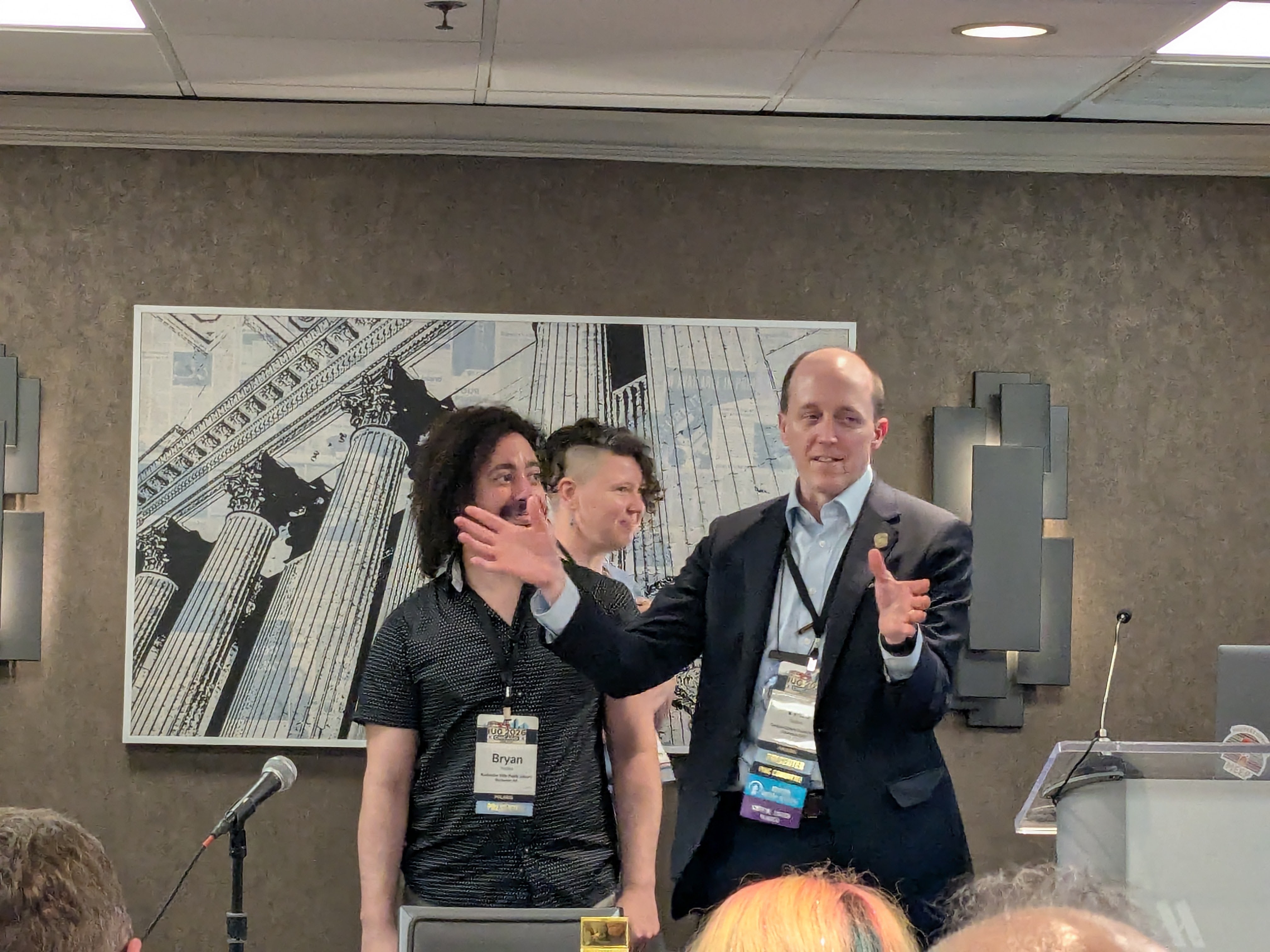
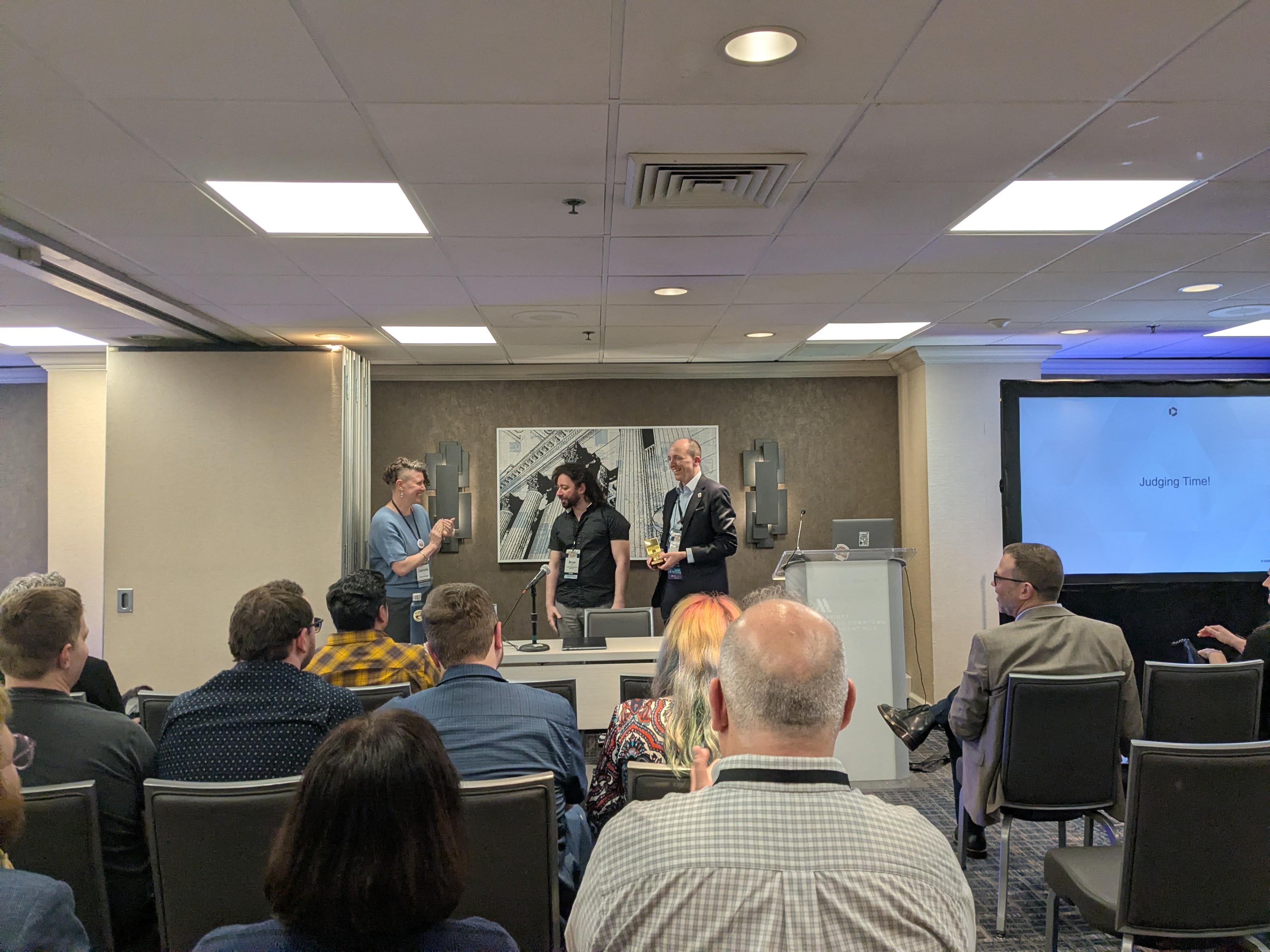
- Shelf Defense — Offline circulation tool Winner
- Leap SQL Template Manager — Parameterized SQL for consortia Polaris / SQL
- Auto-Suggest-a-Purchase — Patron purchase requests Polaris
- Microprojects — Sierra bulk editing via API Sierra / API
Shelf Defense — A Better Offline Circulation Tool
By Wes and Bryan. SIP2-based offline checkout system built on PocketBase. Details below ↓
FindIt — Shelf Mapping for Vega Catalogs
Polaris / PAPIRochester Hills Public Library · GitHub (MIT)
Adds interactive floor maps to the Vega Discover catalog. Patrons search, find an item, and see exactly where it sits on the shelf. Search → Find → Go Get It.
Three components:
- Vega Widget — vanilla JS injected via Custom Header Code. Uses MutationObserver to detect availability rows, injects a "View Shelf Location" button that opens an interactive map modal with zoom, pan, and pinch-to-zoom. Multi-branch support with tabs.
- Rectangle Editor — Flask web app for staff. Draw shelf zones on floor plan images, map them to call number ranges and collections via PAPI dropdowns, and one-click publish to production.
- Standalone Map App — mobile-first search + map at
map.rhpl.org. Supports kiosk mode for Chrome OS devices.
Tech: Vanilla JS (zero dependencies, no build step), Python/Flask, Polaris PAPI (HMAC-SHA1), Google Workspace OAuth
Key design choice: Zero framework dependencies so any library can deploy regardless of technical capacity. Self-host mandate — each library hosts its own copy. Data/code separation — staff update shelf mappings without touching JavaScript.
Photos: Presentation slides
Browsr — Collection Browsing Tool
Polaris / PAPIAndrew
Allows patrons to browse through a smaller, curated collection. Built on the Polaris PAPI.
Shelf Defense — Offline Circulation Tool
WinnerWes and Bryan
A better offline tool for library checkouts. When the network goes down, staff can still circulate items and reconcile later. Started as a complex idea and was narrowed down during the hackathon.
- SIP2-based — uses the standard library self-checkout protocol, works with any ILS ("bring your own SIP2 server")
- Peer architecture — one device acts as the server, others connect to it
- Sync later — transactions sync back to the ILS when connectivity is restored, or export to CSV as a fallback
- Cross-platform — runs on Windows, Mac, Linux
Tech: PocketBase (single-file backend — database, auth, and API in one binary), SIP2
Built with: Claude Code and ChatGPT
Photos: Presentation slides
Leap SQL Template Manager
Polaris / SQLKalee Gulosh and Mike Parks
Parameterized SQL searches for library staff who don't write SQL. Pick a saved template, fill in a form, run the query. Built for consortium environments where member libraries share query templates with each other.
- Template dashboard — browse, search, and run saved queries with one click
- Parameterized forms — dropdowns and text fields instead of raw SQL
- Consortium sharing — one library writes a useful query, the whole consortium benefits
Tech: ASP.NET / C#, Polaris SQL
Photos: Presentation slides
Auto-Suggest-a-Purchase
PolarisSomalia Jamall — Jacksonville Public Library · GitHub
Patron-facing purchase suggestion tool that takes work off the collection development team's plate. A nightly script processes suggestions and emails patrons with updates.
- Already in production — approximately 400 patrons have used it
- Nightly script-based — processes suggestions on a schedule and emails patrons
- Solves a real problem — reduces manual collection development workload
Tech: PHP, JavaScript, Python
Microprojects — Sierra Bulk Editing
Sierra / APIVictor Zuniga
Bulk record editing via the Sierra API's Create Lists and Review Files endpoints. Edit multiple variable-length and fixed-length fields at once — no more record-by-record work in the Sierra client.
- Patron records — demo showed a "Patron Review Files" interface with Name, Address, Phone, Barcode, Email, and Actions columns
- Create Lists + Review Files — uses Sierra API to build lists and then batch-edit through the review file
- Next step: incorporate permissions
Photos: Presentation slides
Katie LeBlanc (Clinton-Macomb Public Library, MI — Polaris) and Alex Vancina (Helen Plum Library, Lombard, IL — Sierra) are both members at large on the IUG steering committee. They walked through the full lifecycle of an enhancement idea — from initial submission through working group review, point sizing, ranked-choice election, and guaranteed 12-month delivery.
See also: Sierra Year in Review for recent MEEP winners delivered in Sierra 6.4–6.7.
Idea Exchange is a platform hosted by Innovative — not exclusive to IUG members. Any Innovative customer can:
- Submit ideas for any product
- Comment on existing ideas with their own use cases
- Rate ideas as “nice to have” or “critical”
| Product | Annual Points | Elections/Year |
|---|---|---|
| Sierra | 1,000 (2 × 500) | 2 |
| Polaris | 1,000 (2 × 500) | 2 |
| Vega Discover | 1,000 | 1 |
| Vega Promote | 500 | 1 |
| LX Starter | 100 | 1 |
The previous process used pairwise voting — members had to evaluate 80+ head-to-head combinations. Even when a winning idea emerged, there was no contractual commitment to implement it. Ideas could wait years or never be built. MEEP replaced that with a binding agreement: if it wins the vote, it ships within 12 months.
Some items partially obscured from slide photo.
### Polaris 8.0 - Better Handling of "Display" Items - Enables Notices - Fix the Label Bibliographic Print Tool Report to use ... ### Polaris 8.1 - Labels: Print Tool windows and New table from Find Tool & Lists - Directed Sorting - Add ability to enter a reason when canceling a Hold - Return to where you were when search finishes ### Polaris 8.2 - Ability to place holds on all items in a record set - Create Multiple Items in LEAP - Create a new status of Lost and Paid ### Sierra 6.6 - View history of item and volume records - Separate permissions to create/edit/delete notice jobs and prepare/run notices ### Sierra 6.7 - Automatic SSL Certificate Renewal - REST API endpoint to update patron "last circ activity date" - Allow use of spine label print templates in Create Lists ### Vega Discover - *(partially obscured)* - Sort Basket Results by Relevance or Record Count / Library - *(partially obscured)* - Enable New Return Material Notification Text ### Polaris Libraries - *(partially obscured — 2 items)* ### Vega LX Starter - Add message to account when marked as spam ## Key Themes1. The process works — and has teeth. Unlike previous IUG enhancement voting, MEEP has a contractual 12-month delivery guarantee. Every winner so far has shipped on time.
2. Comments matter more than votes. Substantive use-case comments on Idea Exchange influence both working group selection and product manager roadmap decisions — even for ideas that never enter the MEEP pipeline.
3. Strategic participation pays off. Understanding how ranked-choice voting works, knowing your site contact, and mobilizing colleagues to comment/vote all increase your library’s influence on the product direction.
4. Working groups need fresh voices. The 50% annual rotation is deliberate — diverse representation ensures the ballot reflects community-wide needs, not just power users. Vega Promote in particular needs more participants.
5. The boundary between MEEP and the roadmap is porous. Product managers actively monitor Idea Exchange independently. Good ideas with strong engagement can get picked up outside the formal election process.
- Idea Exchange — submit and vote on enhancement requests
- MEEP overview
- Idea Exchange FAQ
- Sierra 6.7 MEEP winners
- IUG forums — discussion and idea advocacy
- Hare algorithm (instant-runoff voting) — the ranked-choice method used for MEEP elections
Live Updates
Responsible AI Framework
Clarivate presented AI principles guided by the public library community: Transparent, Ethical, Safe (human in the loop). 2026 AI focus: Polaris Data Explorer, Content Creation, Natural Language Analytics. Pursuing natural language search and AI agents/chat in Discover.
2026: Year of Promote
Vega Promote July release for libraries and consortia. Scaled mass email, 1000+ integrations, triggered automations, personalization. SSO with Vega Staff and AI tools.
Rapido Resource Sharing — Live Since March
Rapido Consortial Borrowing with SearchOhio and OhioLINK. 1,000 requests/day since launch, connecting 120+ libraries across 4 different ILSs. Vega Discover as the central request interface.
New Self-Service Portals
Known Issues Portal — AI-powered, went live April 12. Browse, subscribe, track issues. Unified Knowledge Portal — new docs experience, goes live April 15.
"We Listen" — By the Numbers
91 new Vega Discover features. 27 new Sierra features. 32% reduction in case resolution time. 42% reduction in case backlog (126 Discover PRs fixed). 60 Ideas Exchange suggestions implemented.
Rochester Hills Public Library Wins Inaugural Innovation Award
The first-ever Clarivate Library Innovation Awards — 50+ entries from 11 countries. Winner: Rochester Hills Public Library for themed Vega catalogs creating developmentally-appropriate discovery for children through teenagers. Finalists: Santa Clarita PL (mobile library) and Suffolk PL (rural branch expansion). (finalists)
IUG 2027: Boston!
Next year's conference: Boston, MA — April 1–3, 2027.
Rhonda Glazier Wins Beacon Award
Presented by previous IUG Chair Jeff Campbell. Rhonda is Assistant Dean & Associate Professor at Kraemer Family Library, UCCS, and former IUG Chair who led the first all-virtual conference in 2021.
New Clarivate Leadership
Yoel Goldenberg, new SVP & GM of Library Software Solutions.
Joins from the enterprise AI space — previously CPO at Jacada (conversational AI) and SVP Product Management at Uniphore (AI agents & conversational analytics).
Sierra 2026 Roadmap — May & November Releases
Mike Dicus presented the Sierra roadmap: 22 releases and 98 new features over 3 years, serving 129M patrons. Two releases planned for 2026 with four pillars: customer-driven enhancements, simplified operations, modernized solutions (Admin Corner → Sierra client), and expanded APIs/integrations. ERM replaced by Alma Starter. Vega Interact for SMS/voice notifications. UPC-based cover images coming for non-book materials. Full writeup →
Six Projects Presented — "Shelf Defense" Wins
Six teams demoed projects from the IUG Hackathon pre-conference. Winner: Shelf Defense (Wes & Bryan) — a SIP2-based offline circulation tool built on PocketBase. Other projects: FindIt (shelf mapping for Vega), Browsr (collection browsing), Leap SQL Template Manager (parameterized SQL for consortia), Auto-Suggest-a-Purchase (patron requests), and Microprojects (Sierra bulk editing via API). Full writeup →
New Integrations
Amazon Business EDI integration — CHPL (Cincinnati) launched mid-April as early adopter. Full writeup →
Libby / OverDrive — print copy availability when eBook/audio unavailable; combined ILS + OverDrive circulation reporting. Seeking early access partners.
Vega Reports Launch
Vega Reports launched April 7, built on a data lakehouse architecture. Pre-built dashboards, custom reports, visitor engagement tracking. (iii.com)
Sources
- Vega Reports Launching Soon — iii.com, Apr 1 2026
- Clarivate + OverDrive Partnership — iii.com, Apr 1 2026
- IUG 2027 Boston Announcement — iii.com, Apr 9 2026
- Innovation Awards Finalists — iii.com, Mar 5 2026
- IUG Beacon Award — innovativeusers.org
- Amazon Business EDI Integration — iii.com
- Opening session slide photos — Google Photos Album
Two-part session covering the Rapido resource sharing platform: Rapido CB (Consortial Borrowing) for cross-ILS lending, and Rapido stand-alone for academic institutions. Features the SearchOhio/OhioLINK deployment — the largest cross-ILS Rapido implementation to date.
Presented by Hope Harley
SearchOhio / OhioLINK Deployment
Timeline
February 5, 2026 — SearchOhio soft launch (go-live)
March 2026 — Connected with OhioLINK (88 Alma academic institutions)
Met with staff from 8 libraries to work through a prioritized list of challenges. Feedback used to strengthen the solution — a Clarivate investment.
52-Day Usage Stats (as of April 1)
Same Goals, Fundamentally Different Approach
| INN-Reach (old) | Rapido CB (new) | |
|---|---|---|
| Infrastructure | Local server | Cloud-based architecture |
| Catalog | Separate union catalog | Integrated catalog — single search across SearchOhio + OhioLINK |
| Request interface | Per-ILS | Vega CRI (Central Request Interface) |
| Holdings data | Stored in union catalog | Tracks bibs only — real-time callbacks to each ILS for item availability |
What stays the same
Sierra and Polaris staff stay in their native catalog — workflows unchanged. ILS-specific operations remain in each system.
Known gap being addressed
Rapido CB does not readily show holdings because it only stores bibs and does real-time lookups. This is a recognized issue actively being worked on.
What's Next
Staff requesting
Ability for staff to place requests on behalf of patrons.
Holdings & availability display
Fixing the visibility gap — making holdings data visible in the interface.
Local Vega Discover integration
SearchOhio/OhioLINK results surfaced directly in each library's own Vega Discover instance — patrons never need to leave their home catalog.
PIN authentication transition
Many member libraries still use barcode-only auth. Rapido requires PIN-based auth via Vega Discover. Focus is on minimizing disruption during migration.
Idea Exchange
Using Clarivate's Idea Exchange as the feedback channel for Rapido CB feature requests and prioritization.
Next Deployment
San Diego circuit is the next group of libraries to deploy Rapido CB resource sharing.
Target go-live: late June 2026
Presented by Katy Aranoff
What is Rapido?
A resource sharing solution integrated with the library system that streamlines the user experience. Primarily aimed at academic library partners.
- Libraries manage ILL and the system searches the collection catalog
- Staff manage all their requests in one place
- Users place and track their requests in one system
Key Features
Metadata import
Rapido automatically imports metadata for articles and physical books when patrons place requests — easing the process and improving fill rates. No more manual citation entry.
Patron transparency
Users see request status and progress directly in their library card using familiar language — not ILL jargon.
Smart automation
Routine requests handled automatically. Staff focus on mediating complex requests. Libraries configure workflows to match their own policies. Enables handling higher volume without adding staff.
Timezone-based routing
Requests route to partners in active timezones for faster fulfillment — not just proximity-based.
2025 Performance
Global community: Rapido is active across 20 countries spanning USA/Canada, Latin America, EMEA, APAC, Africa, and Australia/New Zealand.
Item type distinction
Distinguishing item types (e.g., DVD vs. Blu-ray) is one of the top features requested at listening sessions. Patrons need to tell formats apart when requesting through Rapido.
INN-Reach is not going away — but Rapido is next-gen
Not rushing anyone off INN-Reach, but the two systems do not interoperate and likely never will. No plans to build a bridge. When a consortium moves to Rapido, it's a full cutover.
Moving away from OCLC ILL
Trend toward fewer OCLC resource sharing platforms and reducing dependency on OCLC ILL. Rapido offers customizable workflow management that puts more control in the hands of staff users.
By the Numbers
Amazon Integration
Amazon highlighted as a major new EDI vendor. Several other notable vendors added. "Quick click" workflow — start at the vendor site. EDIFACT invoice support.
ERM → Alma Starter
Sierra ERM is being replaced by Alma Starter as the new product.
Vega Interact
SMS and voice notification product — patrons can call in. Related session: "Managing a Cohesive."
Vega Reports
Released April 7, 2026. Early access coming later for Sierra libraries.
| Customer-driven Enhancements | Simplify Operations | Modernize Solutions | APIs & Integrations |
|---|---|---|---|
| View history for item and volume records (Record History button) | Override patron block workflow for bookings | Admin Corner → Sierra: catalog database status, circulation status, system information | Sierra API endpoints for ILL requests |
| New permissions to delete notice jobs | Run notice jobs automatically | Admin Console for Vega Reports | Enhance support for exhibitions in IMMS |
| Customize SAML login forms (webmaster-controlled branding). | Accessibility improvements in staff client and WebPAC | Group call numbers for statistical reports (stat groups) | Rapido / consortial borrowing — pickup location data, filling gaps |
| Scoping authority records in Sierra client | |||
| Maintain record links & daily record link maintenance |
| Customer-driven Enhancements | Simplify Operations | Modernize Solutions | APIs & Integrations |
|---|---|---|---|
| Cover images via UPC (not just ISBN) — for board games, video games, etc. | Accessibility improvements in staff client | Acquisitions & serials status in admin app | Vega Discover |
| Display birth date in patron search results (optional) | Jaspersoft Studio update to v6 for print templates | Manage locations served in Sierra admin | LX Starter — item cost in overdue notice templates |
| Prioritized via MEEP, Idea Exchange, market | Streamlined operations | Limit network access in admin app | Vega Interact |
| Continued Admin Corner migration | Vega Reports |
- Apply reusable print templates to spine labels generated from Create Lists
- Automatic SSL certificate renewal
- Update last circ activity date when patrons use eVendors
Just released April 2026 — along with a Known Issues Portal. Available for Sierra and Polaris now; Vega later.
A deep-dive companion to the Sierra Staff and Single Sign-On session notes from IUG 2026. This guide is aimed at library systems administrators considering or actively implementing SAML SSO for Sierra staff authentication. It covers the full stack: SAML protocol fundamentals, identity provider setup, Sierra-specific configuration, Keycloak’s emerging role, automated provisioning, MFA hardening, passwordless authentication, conditional access policies, and SAML debugging.
Table of Contents
- SAML 2.0 Protocol Fundamentals
- Setting Up Your Identity Provider
- Sierra-Specific Configuration
- Keycloak and the Future of Innovative Identity
- SCIM and Automated User Provisioning
- MFA Deep Dive
- Passwordless Authentication (FIDO2/WebAuthn)
- Conditional Access — Skip MFA on Trusted Networks
- SAML Debugging and Troubleshooting
- Links and References
1. SAML 2.0 Protocol Fundamentals
SAML (Security Assertion Markup Language) is an XML-based standard for exchanging authentication data between two parties:
- Identity Provider (IdP) — the system that knows who your users are (Azure AD, Google, Shibboleth, Okta)
- Service Provider (SP) — the application that needs to verify identity (Sierra)
Sierra acts as the SP. Your organization’s directory service acts as the IdP.
The Login Flow (SP-Initiated — What Sierra Uses)
Staff member                Sierra (SP)                Your IdP
    |                           |                         |
    |-- launches Sierra ------->|                         |
    |                           |-- AuthnRequest -------->|
    |                           |   (base64-encoded XML)  |
    |                           |                         |
    |<------------- redirect to IdP login page -----------|
    |                                                     |
    |-- enters credentials + MFA ----------------------->|
    |                                                     |
    |                           |<-- SAML Response -------|
    |                           |   (signed XML assertion)|
    |                           |                         |
    |                           |-- validates signature   |
    |                           |-- extracts SSO ID       |
    |                           |-- matches to staff acct |
    |                           |                         |
    |<-- logged in -------------|                         |
The key thing: Sierra never sees the user’s password. It only receives a signed assertion from your IdP saying “this person authenticated successfully, and their username/email/uid is X.”
IdP-Initiated Flow
User starts at the IdP portal (Azure MyApps, Google apps launcher, Okta dashboard) and clicks a Sierra tile. The IdP generates a SAML Response directly without a preceding AuthnRequest. This works but is less secure — there’s no request-response correlation, making replay attacks easier. SP-initiated (what Sierra does) is preferred.
Metadata Exchange
Before SSO works, the SP and IdP need to exchange metadata — XML documents describing each party’s configuration:
SP Metadata (Sierra provides this):
entityID— Sierra’s unique identifier (a URL)AssertionConsumerService— the ACS URL where the IdP sends responses- SP’s X.509 certificate (for optional request signing)
IdP Metadata (your IdP provides this):
entityID— your IdP’s unique identifierSingleSignOnService— the URL Sierra sends AuthnRequests to- IdP’s X.509 signing certificate (Sierra uses this to verify assertions are genuine)
In Sierra’s admin interface, you paste in your IdP’s metadata URL. Sierra generates its own SP metadata URL that you give to your IdP admin.
What’s Inside a SAML Assertion
The signed XML assertion the IdP sends back contains:
<saml:Assertion>
  <saml:Issuer>https://idp.yourlibrary.org</saml:Issuer>
  <ds:Signature>...</ds:Signature>

  <saml:Subject>
    <saml:NameID Format="urn:oasis:names:tc:SAML:1.1:nameid-format:emailAddress">
      jsmith@library.org
    </saml:NameID>
    <saml:SubjectConfirmation Method="urn:oasis:names:tc:SAML:2.0:cm:bearer">
      <saml:SubjectConfirmationData
        Recipient="https://sierra.library.org/saml/acs"
        NotOnOrAfter="2026-04-15T14:35:00Z"/>
    </saml:SubjectConfirmation>
  </saml:Subject>

  <saml:Conditions NotBefore="2026-04-15T14:29:00Z"
                   NotOnOrAfter="2026-04-15T14:35:00Z">
    <saml:AudienceRestriction>
      <saml:Audience>https://sierra.library.org/saml/metadata</saml:Audience>
    </saml:AudienceRestriction>
  </saml:Conditions>

  <saml:AttributeStatement>
    <saml:Attribute Name="uid">
      <saml:AttributeValue>jsmith</saml:AttributeValue>
    </saml:Attribute>
    <saml:Attribute Name="email">
      <saml:AttributeValue>jsmith@library.org</saml:AttributeValue>
    </saml:Attribute>
  </saml:AttributeStatement>
</saml:Assertion>
The critical parts:
- Issuer — must match the IdP entityID Sierra expects
- Signature — proves the assertion is genuine and untampered
- Subject/NameID — the user’s identity
- Conditions — time window the assertion is valid (typically 5 minutes)
- AudienceRestriction — must match Sierra’s entityID
- AttributeStatement — the attribute Sierra matches against the SSO ID field
NameID Formats
| Format | When to Use |
|---|---|
emailAddress |
Most common; user’s email as identifier |
persistent |
Opaque pairwise ID; good for privacy |
unspecified |
Let the IdP decide |
For Sierra, emailAddress or unspecified with a uid attribute is typical.
Signing and Encryption
- Response signing (required): IdP signs the assertion with its private key. Sierra validates using the IdP’s public certificate from metadata.
- Request signing (optional): Sierra signs its AuthnRequest so the IdP can verify legitimacy.
- Assertion encryption (optional): IdP encrypts the assertion with Sierra’s public key. Adds PII protection beyond TLS.
- Algorithm: RSA-SHA256 is the current standard. SHA-1 is deprecated — do not use.
2. Setting Up Your Identity Provider
Google Workspace
Available on all paid editions (Business, Education, Nonprofits).
- Sign in to admin.google.com
- Navigate to Apps > Web and mobile apps
- Click Add app > Add custom SAML app
- Enter app name (e.g., “Sierra ILS”), optionally upload an icon
- Google IdP Information page — download or copy:
- SSO URL:
https://accounts.google.com/o/saml2/idp?idpid=<your_id> - Entity ID:
https://accounts.google.com/o/saml2?idpid=<your_id> - Certificate (download the PEM file)
- Or download the full IdP metadata XML
- SSO URL:
- Service Provider Details — enter values from Sierra’s SAML config:
- ACS URL (from Sierra’s SP metadata)
- Entity ID (from Sierra’s SP metadata)
- Name ID format:
EMAIL(orPERSISTENT) - Name ID: Primary email
- Check “Signed response” if Sierra requires it
- Attribute mapping — add the attribute Sierra expects (e.g.,
uidmapped to Primary email or Username) - Click Finish
- Enable for users: By default the app is OFF. Select your staff OU and set to ON
- Allow up to 24 hours for propagation (usually much faster)
Gotcha for free nonprofit tier: No bulk YubiKey management — each key must be registered per-account manually in the admin console.
Reference: Google — Set up custom SAML app
Microsoft Entra ID (Azure AD)
- Sign in to entra.microsoft.com
- Navigate to Identity > Applications > Enterprise applications
- Click New application > Create your own application
- Name it “Sierra ILS”, select “Integrate any other application”
- Go to Single sign-on > SAML
- Basic SAML Configuration:
- Identifier (Entity ID): Sierra’s entityID from SP metadata
- Reply URL (ACS URL): Sierra’s ACS URL from SP metadata
- Attributes & Claims: Configure the attribute Sierra expects (e.g.,
uidmapped touser.userprincipalnameoruser.mailnickname) - SAML Certificates: Download the Federation Metadata XML (this is your IdP metadata to give to Sierra)
- Users and groups: Assign staff users/groups to the application
Reference: Microsoft — SAML SSO for apps
Shibboleth
What RIT uses (as discussed in the session). Shibboleth is the standard in academic libraries.
- Shibboleth IdP is self-hosted (typically by your university’s central IT)
- Configuration lives in XML files on the IdP server
- Your IdP admin adds Sierra as a relying party by importing Sierra’s SP metadata
- Attribute release policies control which attributes the IdP sends to Sierra
- Often integrated with InCommon Federation for cross-institutional trust
Reference: Shibboleth IdP Documentation
Any SAML 2.0 IdP — General Process
Sierra supports any SAML 2.0 compliant IdP. The general process is always:
- Get Sierra’s SP metadata URL from Sierra Admin > SAML Configuration
- Import that into your IdP
- Get your IdP’s metadata URL
- Import that into Sierra’s SAML Configuration
- Configure the attribute mapping (what attribute = SSO ID)
- Upload SSO IDs for staff (CSV or manual)
- Test in test mode
- Enable
3. Sierra-Specific Configuration
Requirements:
- Sierra 6.1+ (6.0 added staff SAML for Web/Admin only; 6.1 extended to Desktop and Web Management Reports)
- Permission 725 (SAML Administrator) assigned to the configuring staff account
- Access to your IdP administrator
Configuration Steps (Sierra Admin App)
Back End Management > SAML Configuration > Identity Providers tab > ADD:
| Field | Description | Notes |
|---|---|---|
| Name | Unique identifier (min 3 chars) | Displayed on the login button. Immutable once created. |
| Usage | Patrons, Staff, or Both | Can have separate IdPs for patron vs. staff |
| Metadata URL | Your IdP’s metadata endpoint | Must be HTTPS, min 12 chars |
| Attribute | IdP response attribute to match against SSO IDs | e.g., uid, email, username |
| Duration in Seconds | Session validity | Default 3600; align with IdP session settings |
Upload SSO IDs
- CSV format:
username,sso_id(header row ignored) username= Sierra login name (case-sensitive)sso_id= matching attribute from IdP (case-sensitive, must be unique)- Errors block the entire upload — fix all errors before retrying
- Can also set SSO IDs individually per user in the staff record
Management Tab
- ENABLE STAFF AUTH (or ENABLE PATRON AUTH)
- Triggers automatic restart of CAS server and staff webapps — plan for off-hours
- After modifying IdP settings, manually restart CAS server via RESTART CAS SERVER
Test Mode
You can configure and test SAML without affecting production. Set up the IdP, upload SSO IDs, and test the flow before clicking ENABLE. Justin Newcomer specifically mentioned this in the session: “It’s self-service now. You can just go into the admin website and set it up yourself in test mode without interfering with production.”
SSO ID Management Tips (from the session)
- SSO IDs can be changed live — useful for testing (swap your SSO ID to a test account, login as that account, swap it back)
- When provisioning new users, adding the SSO ID is just part of the standard process
- For student employees: set a random legacy password they never receive; SSO is their only login path
- Clone permissions from similar accounts when onboarding: “Takes longer to close the ticket than to actually click ‘copy from other supervisor’”
What Still Requires Legacy Passwords
| Application | SSO Support | Workaround |
|---|---|---|
| Sierra Desktop Client | Yes (6.1+) | — |
| Sierra Web | Yes (6.0+) | — |
| Admin App | Yes (6.0+) | — |
| Web Management Reports | Yes (6.1+) | — |
| Decision Center | No | Must have legacy password |
| Circa | No | Must have legacy password; Justin considering vibe-coding a replacement |
| Circulation overrides | Legacy only | Supervisor override pop-up uses legacy credentials |
| Innovative mobile worklists | No | On the roadmap |
| Vega mobile worklists | No | On the roadmap |
4. Keycloak and the Future of Innovative Identity
Keycloak is an open-source Identity and Access Management (IAM) server maintained by CNCF (formerly Red Hat). It provides SSO, identity brokering, user federation (LDAP/AD), support for OIDC, OAuth 2.0, and SAML 2.0, fine-grained authorization, and multi-tenancy via “realms.”
Why This Matters for Sierra/Polaris/Vega
At the SSO session, an attendee (appearing to be from Innovative’s engineering side) mentioned that Vega currently runs through Keycloak and that there are plans to make Keycloak a shared service across Polaris and Sierra. If enough customers request this via IdeaLab, it could accelerate adoption.
What Keycloak as a Shared Service Would Mean
                        [Keycloak]
                       /     |     \
                      /      |      \
              [Sierra]  [Polaris]  [Vega]
                 SAML    OIDC      OIDC
Identity Brokering — Keycloak sits between your apps and your IdP:
[Sierra] <--SAML--> [Keycloak] <--OIDC--> [Azure AD]
                               <--SAML--> [Shibboleth]
                               <--OIDC--> [Google]
                               <--LDAP--> [Active Directory]
Benefits:
- Protocol translation: Sierra speaks SAML, but your IdP might prefer OIDC — Keycloak handles the conversion
- One integration point: Configure your IdP once in Keycloak; all Innovative products inherit it
- Consistent login experience across Sierra, Polaris, Vega
- Easier “bring your own IdP”: Keycloak’s admin console makes adding new IdPs straightforward
- Multi-tenancy: Each library/consortium gets its own Keycloak “realm” in a hosted environment
- Open source: No per-user IAM licensing costs
Key Keycloak Concepts
| Concept | What It Is |
|---|---|
| Realm | Isolated tenant — own users, groups, clients, IdPs. Think of it as a separate identity domain per library system. |
| Client | An application registered in Keycloak (Sierra would be a SAML client, Vega an OIDC client) |
| Identity Broker | Configuration to delegate auth to an external IdP (Azure AD, Google, Shibboleth, etc.) |
| User Federation | Direct connection to LDAP/AD — Keycloak queries the directory at login time |
| Protocol Mappers | Rules for which attributes/claims appear in tokens and assertions sent to clients |
Reference: Keycloak Server Administration Guide
5. SCIM and Automated User Provisioning
The problem: Right now, Sierra SSO ID management is manual — upload a CSV of username,sso_id pairs, or set the SSO ID individually per staff record. When someone leaves, manually remove their account. No automatic group/permission mapping from your IdP.
SCIM (System for Cross-domain Identity Management) is a REST API standard (RFC 7643/7644) for automatically syncing users and groups between your IdP and applications. Sierra does not support SCIM today — this is aspirational and worth requesting via IdeaLab.
How SCIM Would Work
[HR System] --> [IdP (Azure/Okta/Google)] --> SCIM API --> [Sierra]
                                                             - Create user
                                                             - Set SSO ID
                                                             - Assign permissions
                                                             - Deactivate on departure
The API Model
| Endpoint | Method | What It Does |
|---|---|---|
/Users |
POST |
Create a new staff account |
/Users/{id} |
GET |
Retrieve a staff account |
/Users/{id} |
PATCH |
Update attributes (name change, department transfer) |
/Users/{id} |
DELETE |
Deprovisioning (staff departure) |
/Groups |
POST/PATCH |
Create/update permission groups |
/Groups/{id} |
PATCH |
Add/remove members from groups |
SCIM vs. CSV Upload
| CSV Upload (current) | SCIM (aspirational) | |
|---|---|---|
| Timing | Batch (manual trigger) | Real-time |
| Deprovisioning | Often forgotten | Automatic when user deactivated in IdP |
| Group/permissions | Managed separately in Sierra | Could map IdP groups to Sierra permissions |
| Error handling | Errors block entire upload | Per-record HTTP error responses |
| Audit trail | Spreadsheet-level | Full HTTP request/response logs |
| Effort for 10 new hires | ~30 min manual work | Zero — automatic |
IdPs That Support SCIM as a Client
- Microsoft Entra ID — robust built-in SCIM provisioning
- Okta — robust SCIM 2.0 support
- Google Workspace — supports SCIM provisioning
- JumpCloud, OneLogin, Ping Identity — all support SCIM
If Keycloak becomes the shared identity layer, Keycloak does have SCIM support that could potentially bridge the gap.
6. MFA Deep Dive
Why Regular Push MFA Is No Longer Enough
Standard push sends a simple “Approve / Deny” notification. This is vulnerable to MFA fatigue (prompt bombing):
- Attacker obtains stolen credentials (phishing, dark web)
- Attacker repeatedly attempts login, triggering push after push
- Victim taps “Approve” out of frustration, confusion, or at 2 AM half-asleep
- Optionally, attacker calls victim posing as IT: “just approve the prompt”
Real Breaches from MFA Fatigue
| Organization | Date | What Happened |
|---|---|---|
| Uber | Sep 2022 | Lapsus$ bombarded a contractor’s phone + posed as IT via WhatsApp |
| Cisco | May 2022 | Voice phishing combined with push bombing; gained VPN access |
| Microsoft | Mar 2022 | Lapsus$ used MFA fatigue + session token replay; 37 GB source code stolen |
Verified Push / Number Matching — The Fix
What RIT uses (Duo “Verified Push”). Microsoft calls it “number matching.”
- User enters credentials at login page
- Login page displays a number (e.g., “37”) — Microsoft uses 2 digits, Duo uses 3
- Push notification asks: “Enter the number shown on your sign-in screen: ___”
- User must type “37” into the authenticator app
- If correct, authentication succeeds
Why it works: The user must be actively looking at both the login screen AND their phone. An attacker triggering prompts from their own browser sees a different number — the victim has no number to enter, so there’s nothing to mindlessly approve.
Additional Defenses to Layer On
- Show app name, location, device, and IP in the push notification
- Rate-limit MFA prompts (e.g., 3 per 5 minutes, then lockout)
- Let users report suspicious prompts from the notification itself
- Turn off SMS-based MFA (vulnerable to SIM swapping)
Platform Support for Number Matching
| Platform | Feature Name | Status |
|---|---|---|
| Microsoft Authenticator | Number matching | Mandatory for all tenants since May 2023 |
| Cisco Duo | Verified Duo Push | Available in Duo 4.x+; enable per policy |
| Okta Verify | Number Challenge | Configurable per policy |
| Risk-based challenges | Similar protection via context, not explicit number matching |
What RIT Does (from the session)
- Duo with verified push (type 3 numbers — “we’re supposed to be thankful we only have to type 3”)
- Disabled SMS MFA
- Disabled regular push
- Disabled phone-call-based MFA (switched to digital phones — can’t MFA from the phone you’re calling from)
- YubiKey for Duo web auth (self-enrollment)
- Don’t support Duo offline codes (“don’t want to deal with ingesting all those random seeds”)
References:
7. Passwordless Authentication (FIDO2/WebAuthn)
This came up in the session discussion. Justin is interested but cautious. Passwordless happens at the IdP layer, not in Sierra — no changes to Sierra are required to go passwordless.
The Standards
- FIDO2 = WebAuthn (W3C browser API) + CTAP2 (how the browser talks to security keys over USB/NFC/BLE)
- Passkeys = the user-facing term for FIDO2 discoverable credentials
How It Works
Registration:
- User visits site, initiates passkey registration
- Site sends a challenge to the browser
- Browser invokes the authenticator (YubiKey or platform biometric)
- Authenticator generates a public/private key pair bound to this site’s origin
- Private key never leaves the device
- Public key is stored server-side
Authentication:
- User visits site, initiates login
- Site sends a challenge
- User touches the YubiKey + enters the PIN (or uses biometric)
- Authenticator signs the challenge with the private key
- Site verifies the signature with the stored public key
Why it’s phishing-resistant: The credential is bound to the exact origin (e.g., https://sierra.library.org). A phishing site at https://sierra-library.evil.com simply can’t trigger the credential.
Types of Authenticators
| Type | Examples | Pros | Cons |
|---|---|---|---|
| Hardware security keys | YubiKey 5, Google Titan, Feitian | Strongest security; hardware-bound; no battery | Must carry it; costs $25–70/key; limited credential slots (25 on YubiKey 5) |
| Platform authenticators | Windows Hello, Touch ID, Face ID | Very convenient; built into device | Tied to one device |
| Synced passkeys | iCloud Keychain, Google Password Manager, 1Password | Sync across devices | Less secure than hardware-bound (cloud compromise risk) |
The PIN Question
Justin’s concern from the session: “If somebody didn’t have a password and all they needed was the YubiKey, and they know who the user is… I don’t like that.”
The answer: YubiKeys require a FIDO2 PIN.
- The PIN is stored locally on the YubiKey, never sent over the network
- The PIN unlocks the key’s ability to sign challenges
- 8 incorrect PIN attempts locks the FIDO2 application permanently (requires full reset, destroying all credentials)
- So it’s still two factors: something you have (the key) + something you know (the PIN)
- A short PIN is fine because the attacker needs both the physical key AND the PIN, and gets only 8 tries
For Sierra Specifically
- Configure FIDO2 security keys in your IdP (Azure AD, Google, Okta all support FIDO2)
- Register YubiKeys for staff
- Staff authenticate to the IdP with their YubiKey (passwordless)
- IdP issues a SAML assertion to Sierra
- Sierra never needs to know about FIDO2 — it just receives a valid SAML assertion
Password Policy (from the session)
Modern standard (what RIT does, per NIST SP 800-63B):
- 16 characters minimum
- Set once, never rotate — unless detected on a breach/compromise list
- No complexity requirements (length matters more than special characters)
8. Conditional Access — Skip MFA on Trusted Networks
An attendee described this setup: MFA required off-network, skipped on the library’s network. “If somebody forgets their phone, they’re not going to be unable to work when they get in.”
Microsoft Entra ID
Step 1: Create a Named Location
- Entra admin center > Protection > Conditional Access > Named locations
- + IP ranges location
- Name it (e.g., “Library Network”)
- Check Mark as trusted location
- Add your public IP ranges (the IP your traffic exits from, not internal 192.168.x.x addresses)
Step 2: Create the Conditional Access Policy
- Protection > Conditional Access > Policies > + New policy
- Name: “Require MFA except library network”
- Users: Include All users. Exclude break-glass accounts.
- Target resources: All cloud apps (or select Sierra SSO app)
- Network: Include Any network. Exclude your Named Location.
- Grant: Require multifactor authentication
- Enable: Start in Report-only mode. Monitor sign-in logs for a week. Switch to On when validated.
Critical: Always exclude at least one emergency/break-glass account from ALL conditional access policies.
Google Workspace
Step 1: Create an Access Level
- Admin console > Security > Access and data control > Context-Aware Access
- Create access level
- Name: “On campus network”
- Conditions: IP subnet = your campus IP ranges
- Save
Step 2: Assign to Apps
- In Context-Aware Access > Assign access levels
- Select staff OU
- Assign the access level to relevant apps
Step 3: Configure 2-Step Verification
- Security > Authentication > 2-Step verification
- Set enforcement policy for staff OU
- Context-Aware Access and 2SV work together — stronger methods required off-network
References:
9. SAML Debugging and Troubleshooting
Essential tool: SAML-tracer. Install the browser extension before you do anything else: Firefox | Chrome. Open it before attempting login. It intercepts HTTP traffic, detects SAML messages, and decodes them into readable XML. This is how you’ll diagnose every SSO problem.
The Debugging Checklist
- Open SAML-tracer
- Attempt the SSO login that’s failing
- Find the AuthnRequest (SP to IdP) — verify
IssuerandAssertionConsumerServiceURL - Find the SAML Response (IdP to SP) — check
<StatusCode> - If status is not
Success, the IdP rejected the request — check IdP logs - If status is
Success, inspect the assertion fields (see table below)
Assertion Field Checklist
| Field | What to Check | Common Failure |
|---|---|---|
| Issuer | Matches the IdP entityID Sierra expects? | IdP entityID changed or SP misconfigured |
| Destination | Matches Sierra’s ACS URL exactly? | Trailing slash, HTTP vs HTTPS |
| Audience | Matches Sierra’s entityID? | SP entityID mismatch |
| NotBefore / NotOnOrAfter | Timestamps valid relative to Sierra’s clock? | Clock skew |
| Recipient | Matches ACS URL? | URL mismatch |
| Signature | Validates against IdP certificate? | Expired cert, cert rotation not applied |
| NameID / Attributes | Contains expected attribute with expected value? | Wrong attribute name, empty value, case mismatch |
Common Problems and Fixes
Clock Skew
- Symptom: “Assertion expired” or silent login failure
- Cause: Sierra server’s clock differs from IdP by more than the assertion validity window (~5 min)
- Diagnosis: Compare
NotBefore/NotOnOrAfterin the assertion with Sierra server’s time (date -u) - Fix: Ensure NTP is running. On Linux:
timedatectl statusto verify.
Certificate Mismatch
- Symptom: “Signature validation failed”
- Cause: IdP rotated its signing certificate but Sierra still has the old one
- Diagnosis: Extract cert from the Response’s
<ds:X509Certificate>, compare with Sierra’s config - Fix: Re-download IdP metadata and re-import into Sierra. Proactively monitor cert expiry dates.
ACS URL Mismatch
- Symptom: IdP error page, or Response goes nowhere
- Cause: ACS URL in IdP doesn’t exactly match Sierra’s actual endpoint
- Watch for: trailing slashes, HTTP vs HTTPS, port numbers, path case
- Fix: Copy the ACS URL from Sierra’s SP metadata and paste it exactly into IdP config
Attribute Name Mismatch
- Symptom: User authenticates but Sierra says “user not found” or wrong account
- Cause: IdP sends
http://schemas.xmlsoap.org/ws/2005/05/identity/claims/emailaddressbut Sierra expectsemail - Diagnosis: Inspect
<AttributeStatement>in SAML-tracer. Compare attributeNamevalues with what Sierra expects. - Fix: Configure attribute mapping / claim rules in your IdP to send the attribute name Sierra expects.
SSO ID Case Mismatch
- Symptom: User authenticates at IdP but Sierra says no matching account
- Cause: SSO ID in Sierra is
JSmithbut IdP sendsjsmith - Fix: SSO IDs are case-sensitive. Make them match exactly.
Command-Line Tools
# Inspect a certificate's details and expiry
openssl x509 -text -noout -in idp-cert.pem

# Verify an XML signature (requires xmlsec1)
xmlsec1 --verify --pubkey-cert-pem idp-cert.pem response.xml

# Decode a base64 SAML message from a URL parameter
echo "PHNhbWxwOl..." | base64 -d | xmllint --format -

# Decode a deflated + base64 SAML message (HTTP-Redirect binding)
echo "fZJNT8Mw..." | base64 -d | python3 -c \
  "import sys,zlib; print(zlib.decompress(sys.stdin.buffer.read(),-15).decode())"
References:
10. Links and References
Sierra Documentation (may require customer login)
Polaris SSO Documentation
Identity Provider Setup
SCIM / Provisioning
MFA and Security
Passwordless / FIDO2
Debugging Tools
Library Identity / Federation
Community
- Innovative Idea Exchange — upvote Justin’s upcoming MFA requirement request
- IUG Forum
An informal gathering led by Justin Newcomer (Rochester Institute of Technology) about his experience implementing SAML SSO for Sierra staff and patron authentication. As one of the few sites actively using it, Justin walked through the setup, limitations, and pain points at RIT. The session evolved into a broader conversation about MFA policies, shared accounts, identity provider options, cyber insurance implications, and the prospect of Keycloak unifying identity across all Innovative products.
How It Works at RIT
Architecture overview
RIT uses Shibboleth as their university-wide identity provider with separate SAML configurations for patron authentication and staff authentication, each using different match points. They previously used external LDAP authentication for patrons before switching to SAML.
Staff SSO ID field
They use username (uid) as the matching attribute—chosen because it didn’t require special permissions from the IdP team. SSO IDs can be changed on the fly; Justin swaps his SSO ID to a test account to impersonate and debug.
Desktop client behavior
When the Sierra desktop client launches with SSO enabled, a browser window pops up offering two choices: SAML login or legacy Sierra password. Edge works best; Firefox can be flaky. On Chrome, Windows credentials pass through to the browser and Duo MFA decisions happen automatically.
Can’t Disable Local Login
The problem
Even with SAML fully configured, the legacy Sierra password login cannot be disabled—both options always appear on the login page. Justin has raised this issue repeatedly. The login page is Sierra-controlled, so libraries cannot modify the scripting or remove the legacy option.
Planned IdeaLab request
Justin plans to submit an IdeaLab request after the conference to require MFA, not just allow it. Previous requests were “loose with words”—they demanded MFA support but not MFA as a requirement. He encouraged the room to help word-smith the request “with lawyers in mind.”
Apps That Don’t Support SSO
Several Sierra-adjacent applications still require legacy password authentication:
| Application | SSO Status | Notes |
|---|---|---|
| Decision Center | Legacy password only | — |
| Circa | Legacy password only | No longer sold, but RIT uses it daily |
| Circulation overrides | Legacy password only | Supervisor override pop-up at circ desks uses legacy credentials |
| Innovative/Vega mobile worklists app | No | Legacy only; a roadmap slide suggested SSO support may be coming |
Justin mentioned he might vibe-code a Circa replacement using Shibboleth/PHP for authentication to work around the SSO gap.
Student Employees
SSO-only access
Students get SSO access through their university accounts. Justin sets a random password they never receive—SSO is their only way in. If a student needs Decision Center or Circa, they require the legacy password as well.
MFA self-enrollment
Students self-enroll for Duo MFA automatically. Justin noted: “I had confusion trying to explain how to enroll, then they told me it’s just automatic. I stopped trying to explain it and we haven’t had problems since.”
Patron SSO
Forced SAML for all patrons
Patron authentication matches on a different attribute (University ID in patron records). RIT disabled the patron choice between SAML and barcode/PIN, forcing SAML-only since all patrons have RIT accounts. The one or two theoretical community users with expired accounts were told to get an RIT account.
Support burden eliminated
Forcing SAML for patrons eliminates password reset support entirely. As Justin put it: “It’s Central IT’s problem.”
Shared Accounts & Cyber Insurance
Insurance implications
Attendees noted that any shared account can move a library into a more expensive cyber-insurance tier, even if the account’s permissions are heavily restricted. The cheapest rate typically requires every user to be a single signer with no shared service accounts — which has pushed some libraries to phase out shared accounts for programs and provision per-person accounts instead.
“Bring Your Own Identity Provider” Discussion
Getting started is straightforward
Justin’s advice: “If you have Google, Google ‘Google SAML.’ If you have Microsoft, Azure that up.” The setup is self-service—you can configure it in test mode through the Sierra admin web app without affecting production. The metadata exchange is straightforward: match the SSO ID field to whatever attribute your IdP sends.
Patron “bring your own identity”
One attendee asked about allowing patrons to choose their own IdP—sign in with Google, Apple, Meta, and so on—the way consumer sites work. Justin noted that SAML is designed for defined groups; OAuth might be a better fit for “bring your own” patron authentication. The idea has major potential for public libraries, but it raises support questions: password resets and account recovery would go to Apple or Google, not the library.
Traveling Staff / Consortium Challenge
The multi-location problem
One attendee described staff traveling to 9 different locations who need different context logins for each location’s stack groups. They stood up their own IdP to create 9 separate entries, spent 3 months working with their IT department and the city, and ultimately concluded “we can’t do that” with current Sierra.
Workarounds discussed
Possible approaches included multiple accounts with the same password but different usernames, or dummy Google nonprofit accounts per location. Justin candidly acknowledged: “I only have bad ideas about how to solve this.”
User Provisioning / SCIM Discussion
No automatic provisioning today
An attendee asked about automatic provisioning—mapping LDAP groups to Sierra permission groups. This does not exist currently: no SCIM, no automatic role-based provisioning. Justin manages approximately 80–90 staff accounts manually, cloning permissions from existing accounts.
The pragmatic reality
“Takes longer to close out the ticket with proper change controls than to actually click ‘copy from other supervisor.’” Justin also prefers keeping control in-house rather than letting central IT touch Sierra groups: “They touched groups I had specific notes saying do not touch.”
Keycloak / Future Architecture
Vega already uses Keycloak
An attendee (possibly from the Innovative/engineering side) confirmed that Vega currently runs through Keycloak for identity management.
Planned unification
There are plans to make Keycloak a shared service across all products—pushing it down to Polaris and across to Sierra. If this happens, IdeaLab requests for SSO improvements would benefit all products simultaneously rather than requiring incremental changes in each module.
MFA Practices Around the Room
The session included a candid survey of how different libraries handle multi-factor authentication:
| Library | IdP | MFA Method | Notes |
|---|---|---|---|
| RIT (Justin) | Shibboleth | Duo (YubiKey + web auth) | Disabled SMS, disabled push, using verified push (type 3 numbers). No phone-call MFA. |
| Attendee (Google shop) | Google Workspace (free nonprofit) | YubiKey + phone | Must manually assign YubiKeys per account—no bulk provisioning on free tier. YubiKeys also used for physical door access (NFC). |
| Attendee (Microsoft shop) | Azure AD / Entra ID | Microsoft Authenticator app | 4 out of 75 staff requested hardware tokens (Token2). SMS turned off. |
| Another attendee | Microsoft | MS Authenticator | Conditional access: no MFA required on library network. Off-network requires MFA every time. |
Password Policies
Modern standards winning out
RIT requires 16 characters, set once, never rotated unless the password is detected on a breach list (following the Microsoft standard). One attendee uses Spanning (a Google Workspace backup tool) with dark web monitoring for compromised credentials—it has flagged a match only once in four years.
Sierra-specific gap
Justin does not check Sierra passwords against breach lists—it is unclear how that would work given Sierra’s password infrastructure. The room’s general consensus: long passwords + MFA + no rotation is the modern standard.
Passwordless Discussion
Interest tempered by caution
Justin expressed interest in passwordless authentication but remains cautious. His concern: a YubiKey alone (something you have) without a password means anyone who knows the username and has the key gets everything.
PIN-protected hardware tokens
One attendee described a setup where the YubiKey requires a PIN to unlock, preserving the two-factor model (something you know + something you have). Justin noted he is attending a Google conference next week to learn more about passwordless at enterprise scale, but added: “I’m not going to be the first person on campus to push for it.”
Action Items / Follow-ups
- IdeaLab request for mandatory MFA — Justin will submit a request to require (not just allow) MFA. He asked the community to help word-smith it “with lawyers in mind” and upvote it on the Idea Exchange.
- Watch for the request on Idea Exchange / Discourse — community support and upvotes will be critical to getting traction.
- Watch for Keycloak unification — an attendee (possibly from Innovative’s engineering side) mentioned plans to make Keycloak a shared identity service across Sierra, Polaris, and Vega. This was not an official announcement, but if it materializes it could address many of the SSO gaps discussed in this session.
Cross-References
- Sierra SSO Technical Guide — detailed configuration walkthrough, IdP comparison, debugging tips, and reference links compiled from background research
- Sierra Roadmap — broader Sierra development plans including the May 2026 release with customizable SAML login forms
An open forum for Sierra system administrators — Jeff’s last time hosting. Wide-ranging discussion covering Sierra-to-Polaris migration considerations, invoicing workarounds, Koha feasibility, bot protection strategies (Cloudflare, F5, fail2ban), locations served and paging configuration, SDA vs. Sierra Web, WebPAC accessibility challenges, and circ active date behavior with e-vendor APIs.
Sierra vs. Polaris — Migration Considerations
Room temperature check
Show of hands: 2 definite, 4 maybe considering Sierra-to-Polaris migration. Polaris pricing is similar to Sierra renewal costs, but there’s an additional unknown implementation cost on top. Pricing should be negotiable — one attendee just renewed Sierra for 3 more years at comparable rates.
A sales rep deflected on pricing at lunch — an attendee pushed back: “I’m the one who has to get it approved… Our board isn’t going to just say oh yeah spend another hundred thousand.”
Timing and decision pressure
One attendee: “I feel like it’s now or five years from now” — the renewal cycle is the natural decision point.
A consortium hired Marshall Breeding for a landscape report. After 20 years on Sierra, his conclusion: “Stay on Sierra for the moment and do a deep dive in about three years, maybe five.”
III themselves recommended staying on Sierra — at PLA, an attendee’s assistant director spoke with III reps and “that was their recommendation. Stay on Sierra. You’re good here.”
Migration evaluation
An attendee evaluated Polaris: “It couldn’t be just a hair better, it had to be like this much better, and it wasn’t… not worth everything that comes with the migration.”
End users driving the push — people who migrated Sierra-to-Polaris said the common denominator was end users wanting “something that looked a little bit more modern.” Staff hired from Polaris libraries miss things from a technical perspective.
True cost of migration
The true cost extends far beyond the contract: Aspen discovery layer migration, 72+ hours of downtime, communications team, staff training, morale. “Your staff want Polaris because it is pretty but do they want to go through all of that?”
A consortium’s ILS RFP took 9 months. Consortium constraints limit choices: “Our only two choices are Sierra or Polaris.”
Contact Derrick Brown for a Polaris demo — someone offered to show how Polaris works.
Invoicing / Order Record Issue
The problem
A small standalone library stopped using Sierra invoicing when their municipality switched finance systems. A year and a half later, unprocessed invoices are blocking order record deletion (~6,000 records). Can’t do global updates on status codes — would have to change each one manually. Innovative support confirmed the problem and has been manually force-clearing on their end.
Jeremy’s solution (acquisitions expert)
- Go to Funds function → Tools dropdown → “Clear payment history” and force clear
- Ideal method: run a Fund Activity Report first to get a printout of all transaction info, then clear
- The Fund Activity Report (the ideal method in step 2) may take 30–45 minutes to run
- Once invoices are cleared, order records become unlocked
- Put order records into a review file and use batch cancel to clear them in bulk
- If the clear doesn’t work, Innovative support can help via a support ticket
Migrating to Koha
Interest and budget pressure
Budget pressure is driving Koha interest: “We don’t have concrete plans but we are getting a lot of budget pressure to look at another ILS.”
Another attendee came from Koha to Sierra — they loved the flexibility (direct SQL querying was great).
Koha struggles with scale
Jeff (UNC): “We have 20 million records, almost 23 million… large library consortiums struggle with Koha and they could not handle our records.”
Jeremy (Minuteman Library Network — a Sierra consortium in Massachusetts): other MA consortiums are on Koha/Evergreen; as staff move between libraries there’s “an influx of staff who are used to open source systems… Sierra is sort of railing to them.” That said, the Minuteman Consortia office staff “are extremely happy” with Sierra.
Vendor lock-in considerations
One attendee feels locked into Lyngsoe Systems (automated materials handling / book sorter). Only certain ILS vendors support integration: Sierra supports it, SirsiDynix supports it, Polaris is working on it. This significantly limits ILS migration options.
General sentiment
Jeff: “The ILS you have is the best ILS.”
Victor: his library has a “sister library” on Koha — “Acquisitions and cataloging are not quite as mature as Sierra.” His advice: identify what features are essential and make sure the new ILS has them. “That kind of frames the conversation into that specific set of requirements. As opposed to like, well the other one was nice, but functionally speaking that doesn’t do anything.”
Victor’s pragmatic filter for complaints: “We have people say oh we hate Sierra… some of those opinions may be valid but it’s one person and we’re catering to over 99%.”
Jeremy: “The system you start with is kind of what you imprint on” — echoed by multiple attendees.
ILS Migration Studies
Sierra’s Future / Longevity
Domestic sales declining
Jeff: “I don’t think it’s any secret that they’re not selling a lot of Sierra subscriptions in the United States. But it sounds like it is doing better overseas.” Saudi Arabia deploying Sierra for 175 libraries.
Public libraries are going Polaris — III would “absolutely encourage them to buy” Polaris for public libraries.
IUG attendance shifting
Roughly 2/3 Polaris, 1/3 Sierra at IUG — Jeff predicted “that’s probably going to become more lopsided.”
“One company with two competing products seems curious” — the elephant in the room about Clarivate/III having Sierra, Polaris, Millennium (legacy), and Leap all active. There are still a few Millennium customers.
The Millennium-to-Sierra transition
The migration was a “nothing burger” — Jeff was a beta institution: staff were terrified but “Oh, new color scheme. Great.” Intentional design decision to keep it similar, but “the interface felt dated already when it came out.” “They got rid of the mountains” (Sierra splash screen reference).
The “Dated Look” Debate
Functionality over aesthetics
The “looks old” complaint is the #1 thing Polaris fans say.
“Pretty things are usually shallow. If you focus on the UI first, the power behind it is not as strong. That’s how databases work.”
Jeff’s pushback: “Why does the look matter more than the functionality? Is it to please my younger users, my Gen Zers?”
“This is not an end user system. This is not meant to be used by someone who has never been trained before.”
UNC’s staffing situation
Lost 55 staff due to hiring freeze — migration impossible without adequate staff. Part of Triangle Research Library Network (Duke, NC State, NC Central). Getting Rapido because partner institutions moved to Alma, but don’t have budget/staff to migrate.
Overrides / Vega
Override management
Overrides are a problem — consortium/shared system admin actively discourages staff from using overrides to reduce downstream data cleanup.
Patron override coming to Vega — once it arrives, front-line staff expected to “stop using the actual Sierra client and go exclusively in Vega for everything.”
Sierra Desktop App (SDA) vs. Sierra Web
SDA stability improvements
Remote desktop user reporting issues with SDA — failure to log in or initialize once or twice a week. Updating the JRE to the most recent version dramatically improved SDA startup (“night and day”), though “not perfect.”
Growing sentiment that more reliance on Sierra Web is important — one speaker noted “Leap is going to be a more sustainable platform than the Sierra desktop app.”
Current usage split
Some libraries are ~50-50: front desk/circ on Sierra Web, collection management staff still on SDA.
ERM (Electronic Resource Management) is bad in Sierra Web — electronic resources person at one library “hates Sierra Web” and refuses to give up the desktop app. Sierra Web only works properly in Chrome, not Firefox.
Pagination is painful in Sierra Web — editing records that get paginated is bad enough to drive users back to SDA.
Workflows vs. permissions
One user couldn’t see expected menu functions despite having all permissions — workflows (which control dropdown menus) are configured separately from permissions.
Accessibility / WCAG
WebPAC accessibility problems
Multiple libraries are getting “dinged” about accessibility of the classic WebPAC. Even if you don’t point patrons to it, it’s still publicly accessible, which “alarms our accessibility people.”
Libraries want to hide classic catalog from public but keep it for staff — no one has found a solution yet. Firewall approaches tried; ticket open with Innovative.
Dependencies blocking removal
A “very small core set of patrons” still use the classic catalog and are already complaining. Catalogers “will revolt” if classic is removed entirely — staff still depend on it.
Patron registration forms are served through WebPAC — another dependency that blocks removal.
Innovative may be “working with somebody to figure out how to disable it” — uncertain.
Templates cannot fix it
“We fixed everything you can fix using the templates.” The remaining failures are in server-side code: “Your template calls this function and then magic happens on the back end, and the magic is broken. You can’t fix it in post.”
Some exploring Vega Discover as a WebPAC replacement. Good to see other people concerned about WCAG compliance.
Circ Active / Patron Record Updates
The problem
Bulk updating patron records is difficult because the circ active date gets updated whenever a patron record is modified (including via API) — makes it unreliable for purging inactive patrons.
New API enhancement
Mike Dicus (Clarivate) confirmed a new API enhancement coming: for e-vendors (Hoopla, Overdrive) validating patrons, the record won’t get its “last updated” date changed, but the circ active date can be set to indicate the patron is using e-resources. However, it does not take a date parameter to backdate. Toggle is “all or nothing.”
Action item: everyone should contact Hoopla/Overdrive to push them to adopt the new validation method.
Someone has a script workaround for this issue.
Cloudflare / Bot Protection
Cloudflare cautionary tale
Someone implemented Cloudflare on Monday morning to stop bot/DDoS attacks — it stopped the bots but also blocked all staff from Sierra and Sierra Web. Associated resources authenticating against Sierra also broke. They were “desperately trying to get lists of IPs from different vendors” to whitelist.
Advice: become “best friends with your networking team” — use Admin Corner in Sierra to get list of currently connected IPs to feed to firewall allowlist.
Another library’s firewall upgrade broke Sierra connectivity because “they didn’t really consider Sierra before they upgraded the firewall.”
F5 experience (Bambi, UNC — bambi@unc.edu)
Went behind F5 for bot control starting 2024–2025, cost $30,000/year and “they weren’t really providing much after that initial catch up.” Switched to block lists and fail2ban “in a fairly robust way.”
Set up a separate hostname — public-facing domain behind F5 for bot protection, different one for internal services. Currently “hardly any bot now” on Sierra, but digital library hosts still getting hit (38K–120K bot attacks daily). Offered to share setup via email.
Innovative’s crawler blocker (“old browser trick”)
III can put a blocker on your Sierra host — if a client claims to be a browser version more than 3 versions old, it gets blocked. Everything rewritten to denied. Rarely catches legitimate users (maybe one every few months). When bots get rebuilt and start claiming newer versions, they just update the block. “Whack-a-mole, but it does work.”
Advantage: didn’t lock any API access or integrations because legitimate integrations don’t claim to be browser versions.
Ongoing bot arms race
Justin: bot blocking is a game of whack-a-mole — “once the bots pretend they are version 144, then we’ll get 400,000 requests one morning” and they just block all 144s. AI can help write those rewrite rules.
Jeff: has a dedicated sysadmin who “attacks this constantly.” Offered to share fail2ban rules and set up a call with “Joe” — contact Jeff directly. Credited Justin for the old browser trick. Applied same rule sets to protect ArchivesSpace and other digital asset management systems.
III currently uses fail2ban and is moving to Cloudflare in June/July 2026. ByWater Solutions (Koha hosting) already uses Cloudflare.
Bot Protection Approaches for Sierra
| Approach | Pros | Cons |
|---|---|---|
| Cloudflare (reverse proxy/WAF) | DDoS mitigation, bot filtering, SSL termination, caching, free tier | Can block staff and integrations if not configured carefully; only HTTP |
| F5 BIG-IP | Full protocol support, session persistence | $30K/year; “weren’t really providing much” after initial setup |
| fail2ban + block lists | Free, effective for known patterns | Requires dedicated sysadmin effort; constant maintenance |
| III’s crawler blocker (old browser trick) | Simple, doesn’t break APIs/integrations | Whack-a-mole; bots adapt their version strings |
Key Considerations When Putting Sierra Behind a Proxy
- Get your IP allowlists ready FIRST — staff IPs, vendor IPs, discovery layer, OCLC, EZproxy
- Use Admin Corner in Sierra to see currently connected IPs
- Session affinity is critical — Sierra WebPAC is stateful; must use sticky sessions
- SIP2 (port 6001) and Z39.50 (port 210) are TCP, not HTTP — Cloudflare can’t proxy these
- Client IP pass-through — configure
X-Forwarded-For/CF-Connecting-IP - Consider a separate hostname for public vs. internal access
See full guide: Cloudflare Protection for Sierra ILS — Practical Guide
Locations Served / Paging
Order of locations served matters
Bob: order of locations served matters — he actually read the manual (hat tip to Dan and Dave Blizinski as knowledge sources).
Drives the paging list — pickup location matches the first group it encounters going down the list, so supersets must come before subsets or items will fail to page.
Issue: items getting picked up while the paging list is still being processed. Discussion around title-level priority paging and item-level vs. title-level paging — a key distinction.
Item-Level vs. Title-Level Paging — Key Differences
| Aspect | Item-Level Paging | Title Priority Paging |
|---|---|---|
| Slip format | One slip per item | One list with all eligible items |
| Priority table | Library Priority table (0–99) | Hold Pickup Locations table, Paging Priority field (0–999) |
| Items targeted | Single item at highest-priority branch | All eligible items across multiple locations |
| Cycling/escalation | Not built-in | Automatic — cycles through priority tiers |
| Permission | 358 | 394 |
Gotchas
- Title Priority Paging and Library Priority tables are incompatible — enabling one disables the other
- Also incompatible with “Page Pickup Location First” feature
- Adding a new pickup location requires updating paging priority for all existing entries (default is 999/lowest)
- Print title paging lists frequently — at least once/day
- Without “Keeping the Title Hold” enabled, if all locations reject a page the hold gets cancelled
Sierra Documentation
Cataloger Concerns
Record templates and macros
Catalogers have deep workflows baked into Sierra — record templates and macros are critical to cataloger performance. “Our catalogers will revolt” if classic is removed.
Switching to Polaris remains a hot topic in the room.
Closing Note
IUG 2027 will be in Boston.
--- # Sierra Year in Review URL: sierra-year-in-review.html Description: Sierra 6.4 and 6.5 release highlights: patron checkout limits, inventory check-in at circulation, Admin Corner migration, Create Lists navigation, and IMMS enhancements.A walkthrough of features delivered in the Sierra 6.4 (June 2025) and 6.5 (November 2025) releases, with a focus on customer-driven enhancements sourced from MEEP, Idea Exchange, and direct user feedback. More than half of Sierra libraries worldwide are now running either 6.4 or 6.5.
See also: Sierra Roadmap (Monday) for the May and November 2026 release plans.
- Added the return date as a new field in patron reading history (field group 38).
- When a patron borrows and returns an item, the return date is now recorded — patrons can see they had an item last month, last year, or several years ago.
The headline feature of 6.5 — originated from MEEP / Idea Exchange requests to extend the category A–D values beyond four options.
- What it does: Configures checkout limits by patron type combined with a second variable:
- Patron type + item type
- Patron type + item location
- Patron type + library location / location served
- Configuration: Found in Circulation → Administration → Patron Checkout Limits, with three tabs: item type blocks, item location blocks, and location served settings.
- Import/export: Limits can be imported and exported via CSV — critical for libraries needing hundreds or thousands of limit combinations.
- Staff override: When a patron hits a limit, staff see a pop-up identifying the specific limit exceeded (e.g., “item type: Picture Book, limit: 3, current: 3”). Staff can override, and overrides are logged in the circulation override logs.
Loan Rule Precedence Order
- Patron blocks (expired card, etc.)
- Item location and library location blocks
- Item type blocks
- All other block types (including patron checkout limits)
- New option in the Sierra client to print the locations served table directly.
- Previously required contacting support. Now available self-service.
- From any item record (Acquisitions, Cataloging, or Circulation), staff can open the patron record for the current or last patron.
- Three navigation methods:
- Double-click on the current/last patron field
- Edit menu → View actions → Navigate to patron (view or edit mode)
- Right-click context menu
- Opens the patron record in the checkout screen, ready for action.
- Extended the penalty points / demerits system to support unclaimed holds.
- Libraries can assess penalty points when a patron fails to pick up a held item.
- Point values are library-defined; accumulated points can block further transactions for a configurable period.
- Continued the navigation enhancement started in 6.3 (Create Lists → Global Update, Rapid Update).
- New in 6.5: Jump from Create Lists directly to Delete Records with the review file name pre-populated.
- More navigation targets planned for future releases based on Idea Exchange requests.
- Uses the standard check-in screen with a configurable switch in the SDA.
- Configuration options per branch / location served:
- Start date only (perpetual inventory — never turns off)
- Start and end dates (time-limited inventory period)
- Updates the inventory date field in the item record with each scan.
- Status bar shows “Inventory check-in is enabled” and a running count of items scanned.
- Popular use case: Perpetual inventory — leave it on permanently so every scan updates the last-seen date.
- Some libraries have relabeled the field to “Last Scanned.”
- Note: If you don’t have an inventory date field in your item records, open a support ticket to have it enabled.
| Feature | Moved To |
|---|---|
| System status (record counts) | Admin App (web-based) |
| Restart terminal | Admin App |
| Scope menu maintenance | Sierra Client |
| Check missing items | Sierra Client |
| Batch check-in (from review files) | Sierra Client / Sierra Web |
Check Missing Items: Displays items previously marked missing whose status has since changed. Staff can right-click to view records, sort by column, and clear items individually or in bulk.
Batch Check-in: Select a review file of items to check in. Bypasses normal check-in logic (transits, holds) — a quick process to clear items from checkout status.
Scope Menu Maintenance: Update scope names and numbers directly in the client, eliminating the need for support tickets or Admin Corner.
- New permission allows staff to use Create Lists without access to patron data.
- Operates at the lowest permission level — if a staff member also has a higher Create Lists permission, the higher one takes precedence.
- Staff with only this permission cannot view or create review files containing patron data.
For libraries using automated materials handling:
- Exhibition/display routing: New settings identify display or exhibition locations. Items are evaluated at check-in for routing to active exhibitions based on subject criteria and available space.
- Chaotic hold shelf assignment: Supports random shelf assignment for holds (no slips in items). Pickup shelf location is displayed in staff screens and patron notifications.
| Enhancement | Details |
|---|---|
| Locations served limit doubled | From 1,000 to 2,000 location codes per entry |
| SQS connection test for notices | Tests connectivity before sending notice data to LX Starter; prevents data loss |
| Accessibility improvements | Name, role, and value attributes set for fields in circulation and search screens |
| Client branding update | Glacier Point: light gray theme. Half Dome: dark theme. Switchable via Settings → Display. |
- Public Roadmap — vote on features from “not important” to “critically important” and add comments
- Idea Exchange — submit and vote on ideas
- 120+ users/day average
- ~1,200 total users
- 900 new ideas in the past 12 months
- ~14,000 votes
- 1,500+ comments
- MEEP session — Tuesday at 3:00 PM with Katie LeBlanc and Alex Vancina
Links
- Webinars
- Knowledge Portal
- Public Roadmap
- Idea Exchange (login required only to post a new idea)
All four channels are publicly available without a login.
Two approaches to the same patron workflow — a conversation starter
Auto-Suggest-a-Purchase
Somalia Jamall — Jacksonville Public Library
Patron-facing purchase suggestion system with staff review dashboard and automated hold placement. ~400 patrons have used it in production.
GitHub · AGPL-3.0
Datasette Suggest-Purchase
Ray Voelker — chimpy-me / CHPL
Datasette plugin with an automated bot pipeline for evidence extraction, catalog matching, and Open Library enrichment. Part of a broader Sierra data ecosystem.
How Each System Works
Jacksonville (Polaris)
chimpy-me (Sierra)
Side by Side
| Aspect | Jacksonville (Polaris) | chimpy-me (Sierra) |
|---|---|---|
| Patron Input | Structured form — title, author, ISBN, format dropdown, age group | Free-text field — paste an Amazon link, type a title, enter an ISBN; bot parses it |
| Staff Review | Custom React/MUI dashboard with 5 status tabs, inline editing, action buttons, toast notifications | Datasette native table UI — filtering, sorting, SQL, CSV export come free; custom update route for status changes |
| Intelligence | Nightly script searches catalog by ISBN, places holds, detects checkouts | 7-stage bot pipeline: evidence extraction (ISBN validation, URL classification, ASIN extraction), tiered catalog search, Open Library enrichment. LLM stages planned. |
| Hold Placement | Fully automated — nightly script handles Polaris two-step hold confirmation | Planned (Stage 5) — not yet implemented |
| 4 touchpoints: submission received, already owned, rejected, hold placed. PHPMailer + smtplib. | Not yet implemented | |
| Auth | Polaris API for patron + staff; hardcoded staff username list | Sierra API for patrons; separate RBAC plugin for staff (viewer / staff / admin roles, PBKDF2 passwords) |
| Data Store | MariaDB — single title_requests table |
SQLite — 6 tables with migrations, full event audit trail (request_events) |
| Security | Form validation, suggestion rate limiting | Login rate limiting, CSRF protection, PII scrubbing on outbound queries, CSV injection prevention |
| Testing | — | Full test suite (15+ files); fake Sierra API server for local dev |
| Production | ~400 patrons served at Jacksonville PL | In development |
| Deployment | Docker Compose (PHP/Apache + MariaDB) | Datasette with pip-installable plugins |
| Clever Detail | eBook/eAudiobook requests redirect patrons to Libby instead of accepting | Patron can paste an Amazon URL and the bot extracts the ASIN, finds the ISBN, searches the catalog, and enriches with cover art — all before staff sees it |
Where We Complement Each Other
What I'd love to borrow from yours
- The complete hold lifecycle — your nightly script handles the full loop: catalog search → hold placement → checkout detection → close. My Stage 5 needs exactly this.
- eBook → Libby redirect — elegant way to handle digital formats without creating suggestions staff can't fulfill.
- Email at every stage — patron communication is critical and I haven't built it yet.
- Real production data — 400 patrons is real validation. I'd love to hear what surprised you.
What might be useful from mine
- Evidence extraction — ISBN check-digit validation, Amazon/Goodreads URL parsing, heuristic title/author detection could reduce staff triage time.
- Open Library enrichment — free metadata + cover images for items not yet in the catalog.
- Datasette as the staff UI — gets you filtering, SQL, CSV export without building a custom dashboard. Could complement or replace the React admin.
- Audit trail via event table — every action logged with actor + timestamp instead of appending to a notes field.
The Broader chimpy-me Ecosystem
The suggest-purchase plugin is part of a set of tools for working with Sierra data through Datasette:
chimpy-extract
ETL framework — SQL-first job definitions that stream data from Sierra's Postgres into SQLite. Collection data, patron data, items in transit.
datasette-sierra-ils-auth
Staff authentication plugin — validates credentials against Sierra's user API, manages roles (viewer / staff / admin) and permissions.
sierra-users-datasette
Extracts Sierra's 18 internal user management tables (users, roles, permissions, locations, branches) into SQLite for browsing.
Let's Talk
We're solving the same problem for different ILS platforms from different angles — structured form vs. free text, custom React dashboard vs. Datasette, complete lifecycle vs. deep enrichment pipeline. I think there's a lot we could share.
Ray Voelker — github.com/rayvoelker · github.com/chimpy-me
Pre-Conference Workshops
1:00–5:00pm — The Great ILS-Data Pre-Conference
Kane Room · GitHub Repo
Data visualization, regex, APIs, Datasette, data lakes, privacy, AMH logs, Python CLI tools, and more. Topics spanning Sierra, Polaris, and cross-platform data work.
Presentations by Ray Voelker:
1:00–5:00pm — IUG Hackathon
Teams built projects solving real operational problems for libraries. Six projects presented during Monday's awards session.
1:00–5:00pm — Vega LX Academy
Hands-on Vega platform training for new and prospective Vega libraries.
Evening
5:00–7:00pm — Welcome Reception
Chicago Ballroom E · Opening night networking
Full Schedule
9:00am — Vibe Coding with SQL for Fun and "Profit"
Wes Osborn (CLC, Columbus OH) · Kansas City Room · General Track
Using AI tools (ChatGPT, Claude, Copilot) to generate SQL queries against library databases. The AI-forward entry point to Tuesday's SQL thread. Wes is a former IUG Chair (2023) and 2018 Beacon Award winner.
9:00am — Sierra Cataloging Forum
Emily Vieyra, Lynn Gates, Tim Mayse-Lillig · McHenry Room · Sierra Track
9:00am — Sierra Statistical Reports — Review of the Sierra Reporting Tool
Michael McClellan · Chicago Ballroom G · Sierra Track
9:00am — Two Sierra Tricks
Lloyd Chittenden, Sarah Furger · Los Angeles Room · Sierra Track
9:00am — Resource Sharing Update Notes
Hope Harley, Katy Aranoff · Denver Room · General Track
Rapido CB deployment across SearchOhio/OhioLINK (110+ libraries, 4 ILSs), Rapido stand-alone for academics (5.5M requests, 96% fill rate). San Diego circuit next.
10:30am — Automating Reports with Python 2: Getting Modular
Jeremy Goldstein (Minuteman Library Network) · Kansas City Room · General Track
Presentation materials: GitHub repo
10:30am — Demystifying Sierra Authority Control
Martha Rice Sanders · Houston Room · Sierra Track
10:30am — Floating Collections BoF: Analytics Tools for Multi-Branch Sierra Systems Notes
Elizabeth Wright · Cook Room · Gatherings Track
Roundtable on floating collection management: smart routing at check-in, bulk hold workflows via Sierra API, item movement tracking gaps, Vega Reports preview, and Idea Exchange strategy.
10:30am — From Backlog to Breakthrough: Streamlining Technical Services
Carolyn Bly, Kathleen Lince · Chicago Ballroom G · General Track
10:30am — Vega in Action: A Community Showcase of Customer Implementations
Derek Brown, Sarah Kasprzak · Kane Room · Vega Track
1:30pm — Creating a Circ Stats Dashboard Using SQL and LibInsights
Joel Tonyan (UCCS) · Chicago Ballroom G · Sierra Track
Joel is Director of User Experience at Kraemer Family Library, UCCS — colleague of Beacon Award winner Rhonda Glazier.
1:30pm — Sierra Year in Review Notes
Mike Dicus · McHenry Room · Sierra Track
Sierra 6.4 & 6.5 release highlights: patron checkout limits (MEEP-driven), inventory check-in at circ desk, Admin Corner → client migration, Create Lists navigation, and more.
1:30pm — Collaborative Solutions for Technical Services Challenges
Rhonda Glazier · Houston Room · General Track
3:00pm — Where Do I Start? Techniques for Large/Complex SQL Reports
Bob Gaydos (Stark County District Library) · Kansas City Room · Sierra Track
Bob is a career database developer & former DBA — professional-grade SQL background.
3:00pm — MEEP (Member-Exclusive Enhancement Process) Notes
Katie LeBlanc, Alex Vancina · Los Angeles Room · General Track
Full lifecycle of an enhancement idea: Idea Exchange submissions, working group review, point sizing, ranked-choice elections (Hare algorithm), and guaranteed 12-month delivery.
3:00pm — There Are No Cataloging Police, Part 1
Lynn Gates · Houston Room · General Track
3:00pm — Managing a Cohesive Circ Notice Strategy Across Channels
Taylor Fisher · Denver Room · Vega Track
Related to the Vega Interact SMS/voice notification product announced in the Sierra Roadmap.
4:30pm — AI The Right Way: Smarter Tools, Stronger Outcomes Notes
Ashley Barey (VP Product Management, Clarivate) · Denver Room · General Track
Responsible AI framework (Transparent, Ethical, Safe), product roadmap (Data Explorer, Metadata Assistant, Acquisitions Agent), Pulse of the Library 2025 data, Q&A on vibe coding library catalogs. 25 sources.
4:30pm — Vega Reports for Discover and Beyond Notes
Jovana Raskovic (Product Manager, Clarivate) · Kansas City Room · Vega Track
Unified BI platform powered by Metabase: preset dashboards (visitor, search, marketing), query builder & native SQL, OverDrive integration preview, Metabot AI proof of concept. Rollout: Discover live now, Polaris Q3–Q4, Sierra early 2027.
4:30pm — Sierra Circulation Forum
Stephanie Ruhe, Alex Vancina · McHenry Room · Sierra Track
Jovana Raskovic presented Vega Reports — Clarivate’s new unified business intelligence platform that brings reporting and analytics to the entire Public ecosystem. Built on Metabase (an open-source BI tool comparable to Tableau or Power BI) with a Postgres backend and a secure data lakehouse architecture, Vega Reports is included at no additional cost with a Vega Discover subscription. The session covered preset dashboards, the query builder and native SQL interfaces, an OverDrive integration preview, a Metabot AI proof of concept, and detailed rollout timelines for Discover, Polaris, and Sierra.
One intelligent BI platform unifying reporting and analytics across the Public ecosystem. Powered by a secure data lakehouse and built on Metabase — an open-source BI tool comparable to Tableau or Power BI — with a Postgres database backend. Vega Reports is included with every Vega Discover subscription at no additional cost. The platform is consortia and international ready.
Streamlined Staff Flows
Single login — ILS and Vega data unified in one place. No switching between systems to get the data you need.
Automated & Intelligent
AI tools and modern visualizations built into the platform. Reports can be scheduled, shared, and bookmarked.
Secure & Private
Data protected within the secure lakehouse architecture. GDPR and CCPA compliant.
Unique Insights
Third-party data integration (Cloudio) and engagement reporting — data sources that go beyond what the ILS alone can provide.
Four Early Access partners — Phoenix Public Library, STELLA, Mid-Hudson Library System, and New York Public Library — collaborated with the Vega Reports team over several weeks, providing hands-on feedback that shaped the product before general availability.
Vega Reports for Discover requires an active Vega Discover subscription. Polaris and Sierra customers already have LX Starter included with their ILS subscription, which enables the connection needed to access Vega Reports. LX Starter does not need to be actively used — Clarivate simply recommends having it enabled to support access to Vega Reports. Once roles are assigned, Vega Reports appears in the left-hand navigation menu within Vega Discover.
Super Admin assigns roles
Role assignment is handled through Vega Discover User Management. Roles can be assigned at the main site, collection site, or kiosk site level.
Reports Admin
Full access license. Main site admins get both the query builder and native SQL access. Collection site admins get query builder only (no SQL access).
Reports Consumer
View-only license. Consumers can view and interact with reports created by admins but cannot build new queries.
Three preset dashboard categories ship with Vega Reports. These dashboards are read-only and are the same for both admin and consumer roles. Data is collected using Pendo, ingested into the data lakehouse via API, and refreshed every 24 hours. Data collection begins as soon as a library enables Vega Reports, with up to one week of historical data backfilled. From there, data continues to accumulate over time to support trend analysis.
1. Visitor Statistics
User activity across Discover — unique visitors (distinct count), visitor frequencies, and engagement patterns.
2. Search Statistics
Top searches, search performance metrics, and weekly trends.
3. Marketing Statistics
Home page interactions, click patterns, and marketing campaign effectiveness.
Sharing & filtering: Dashboards can be shared via email or PDF, and bookmarked for quick access. A site filter allows filtering by site URL — especially useful for consortia with multiple locations. Each card on the dashboard includes an info tooltip explaining the metric.
Beyond the preset dashboards, Vega Reports offers two approaches for building custom reports. Custom reports can be exported as CSV or Excel, and custom report visualizations are fully customizable.
1. Query Builder
A simple select-option menu interface — no coding required. Select a data source, join tables, add filters, summarize, and aggregate. Both data models and data tables are available. The toolbar provides: Filter, Summarize, Join data, Sort, Row limit, and Custom column.
2. Native SQL Query
Direct Postgres SQL access for Reports Admins at the main site level. Write and execute SQL queries against the data lakehouse for maximum flexibility.
Visualizations are available for reports built either way — Query Builder or Native SQL. Options include bar, line, pie, table, pivot table, gauge, funnel, map, and more. The platform auto-selects the best visualization based on the query results, and everything is fully customizable — colors, naming conventions, and axes can all be adjusted.
Example SQL query — aggregating Discover tracking events by type for a given year:
SELECT
    tt.track_type_name,
    SUM(te.num_events) AS sum
FROM "discover".track_events te
INNER JOIN "discover".track_types tt
    ON te.track_type_id = tt.id
WHERE
    te.last_time >= CAST('2024-01-01 00:00:00Z' AS timestamp)
    AND te.last_time < CAST('2025-01-01 00:00:00Z' AS timestamp)
GROUP BY tt.track_type_name
ORDER BY tt.track_type_name ASCClarivate is working on integrating OverDrive checkouts data into Vega Reports for both Polaris and Sierra users. A demo was shown at the sales booth during the conference.
Key metrics
Unique digital checkouts, number of checkouts, and average lending period. A print copy checkout flag (yes/no) indicates whether a given title was also checked out in print within the selected timeframe.
Filtering
Owning branch and checkout branch filters allow libraries to drill into circulation data by location.
Digital-to-print matching
The team is exploring two approaches: patron ID matching in the backend, or product ID mapping for titles. Top 100 checked-out digital titles with print copy overlap analysis will help libraries understand format preferences.
Trends & usage patterns
A variety of trends across time frames, popular titles, and print vs. digital overlap — giving libraries insight into how their collections are performing across formats.
Metabase includes an AI tool called Metabot that enables natural language interaction with reports and data. Currently, Metabot does not support self-hosted environments (which is how Vega Reports operates), so this is a proof of concept only — not shipping yet. Jovana showed a video demo using sample data to illustrate the capabilities.
AI exploration via chat
Ask questions in natural language and get answers from your data through a conversational interface.
Natural language report creation
Create reports using the query builder via plain English prompts. Step-by-step guided report creation walks users through the process.
SQL generation
Generate SQL queries from natural language prompts — no need to know Postgres syntax.
Chart analysis & error fixing
Analyze and ask questions about existing charts. Metabot can also identify and fix errors in SQL code. Reports can be saved directly to a personal collection.
Jovana on AI: “This is the future. We can’t run away from it. As long as you run away from something, it’s gonna get you sooner rather than later.”
Vega Reports for Discover
The first phase of the rollout is complete. Additional releases of Vega Reports for Discover are continuing, with the goal of ensuring that all current Vega Discover subscribers receive access by the end of Q2 2026. Monthly releases will continue with the Vega Suite thereafter.
Future plans: Staff Audit data, Programs data, and Mobile data integration. The team is also considering adding Vega LX Starter data.
Vega Reports for Polaris
Early Access: Q3 2026. Delivery: Q4 with Polaris Release. The team is actively seeking early access partners.
Focus: Simply Reports restoration plus eContent and circulation data. OverDrive integration in the same timeline if possible. A survey was sent and received 127 responses — strong demand for circulation reports. Will include dashboards and a reporting folder with list reports.
Vega Reports for Sierra
Early Access: Q3–Q4 2026. Release: Early 2027. The survey has not yet been sent — Jovana is collecting feedback now and plans to send the survey in the coming weeks.
Focus: Web Management reports and Decision Center analysis. Not all Sierra users actively use Web Management reports — many are focused on Decision Center, which will be incorporated into the platform.
What Sierra-specific customers should know about Vega Reports:
- Vega Reports for Discover requires an active Vega Discover subscription. For Sierra customers, LX Starter is already included as part of the ILS subscription and enables the connection needed to access Vega Reports (for those not subscribed to Vega Discover). LX Starter does not need to be actively used — Clarivate simply recommends having it enabled to support access to Vega Reports.
- Sierra customers are next in the rollout, following Discover and Polaris customers.
- Clarivate is seeking Early Access partners — an optional, volunteer opportunity to provide feedback and help shape the product.
- Decision Center data is planned for future analysis and incorporation.
- A customer survey will be shared soon, offering an opportunity to help influence priorities for the Sierra release.
Jovana Raskovic
Product Manager for Vega Reports, based in the Belgrade office. Almost one year at Clarivate, with over six years of experience in analytics.
Jesse Ryan
Development Manager for Vega Reports. Leads a small development team building and maintaining the platform.
Export formats
Dashboard exports are limited to PDF or email only. Custom reports can be exported as CSV or Excel.
SQL flavor
The database backend is Postgres. Native SQL queries use standard Postgres syntax.
BI tool integrations
Direct integrations with external BI tools (e.g., connecting your own Tableau instance) are not currently available, but the team is exploring the possibility.
Report scheduling
Yes — you can schedule reports to be delivered to individuals on particular days.
Roll-ups/holds data
Not being considered at this time. Jovana: “Let’s take one step at a time.”
Pendo is a product analytics and user-engagement platform used by SaaS companies to understand how customers interact with their software. Clarivate uses Pendo to instrument Vega Discover — capturing the usage events that ultimately flow into Vega Reports. Pendo is the instrumentation layer in the pipeline; Metabase is the BI layer that surfaces it.
Company snapshot
Founded in 2013, headquartered in Raleigh, North Carolina. Publicly referenced customers include Verizon, Morgan Stanley, Salesforce, Okta, LabCorp, OpenTable, and Zendesk. Pendo competes with Mixpanel, Amplitude, and Heap in the product-analytics space.
What Pendo actually does
Pendo embeds a tracking snippet into a web or mobile application to capture user behavior — page views, clicks, search terms, feature usage, and session patterns. Beyond analytics, the platform also offers in-app guidance (tooltips, walkthroughs, announcements) and user feedback collection (NPS, in-app surveys). For the Vega Reports pipeline, the behavioral-analytics capture is the piece that matters.
Where Pendo sits in the Vega Reports pipeline
Pendo captures raw Vega Discover usage events. Clarivate pulls those events out via Pendo’s API into the data lakehouse on a 24-hour cadence. Metabase then queries the lakehouse to power the dashboards and custom reports that library staff see inside Vega Reports. Understanding this layering helps explain a few behaviors: the 24-hour refresh is set by the ingest job from Pendo into the lakehouse, and the “up to one week of historical backfill” on enablement reflects how far back Clarivate can pull existing Pendo events when a library turns Vega Reports on.
Simplified data flow
Activity in Vega Discover → captured by the Pendo snippet → ingested via Pendo’s API into Clarivate’s data lakehouse (refreshed every 24 hours) → queried and visualized by Metabase → surfaced to admins and consumers as Vega Reports.
- Smarter Insights Ahead: Vega Reports Launching Soon — Innovative Interfaces, April 1, 2026
- OverDrive and Clarivate Integration Announcement — OverDrive, June 24, 2025
- IUG 2026 Annual Conference Schedule — iug2026.sched.com
- Vega Discover Documentation — Innovative LibGuides
- Metabase — Open Source Business Intelligence
- Pendo — Product analytics and user-engagement platform (the instrumentation layer behind Vega Reports)
Full Schedule
9:00am — Executive Leadership Panel
Chicago Ballroom A · General Track
Sierra commitment, Vega unification, Alma Specto, mobile app strategy, public library headwinds, communication improvements. Full notes →
9:00am — Lightning Rounds
Derek Brown, Bob Gaydos, Wes Osborn, Mike Fields, Tyler Works · Chicago Ballroom G · General Track
9:00am — Navigating Location Code Updates in Sierra
Gale Forster, Tim Sills · McHenry Room · Sierra Track
10:30am — Acquisitions Forum
Jeremy Goldstein · Kane Room · General Track
10:30am — Cleaning Up Our Act Using Really, Really Simple Inventory
Ann Langlois · Houston Room · Sierra Track
10:30am — Vega WebBuilder — The Easy Way, the Advanced Way & the Takeaways
Bryan Yostos, Luke Wood · Chicago Ballroom G · Vega Track
10:30am — Patrons in Promote: Unlocking a New Level of Engagement
Taylor Fisher · Chicago Ballroom A · Vega Track
Related to the Vega Promote July launch announced in Monday's opening.
1:30pm — Getting Started with the Sierra RESTful APIs
Jason Boland (Clarivate) · Chicago Ballroom G · Sierra Track
Vendor-supported onboarding to Sierra APIs. Jason is a Senior Library Training Consultant covering Sierra, Polaris, and Vega.
1:30pm — Kicking the Elephant out of the Room: Cataloging without OCLC
Elaine Sloan, Boise Public Library · Houston Room · General Track
Notes available
1:30pm — Consortia Forum
Jason Bedsaul, Molly Lisowsky · McHenry Room · General Track
1:30pm — Support Update
Caitlin Spears · Chicago Ballroom A · General Track
3:00pm — Sierra Staff and Single Sign-On
Justin Newcomer (RIT) · Cook Room · Gatherings/Sierra Track
SAML SSO for Sierra staff auth, MFA practices, Keycloak unification plans, cyber insurance implications. Includes a technical implementation guide. Full notes →
Notes available
3:00pm — Tending to Your Collection
Lynn Gates · Kansas City Room · General Track
3:00pm — Vega Mobile Update
Ashley Barey · Chicago Ballroom G · Vega Track
3:00pm — Vega Rollups and Your Bibliographic Records
Elaine Sloan, C Mulder, Sarah Kasprzak · Kane Room · Vega Track
4:30pm — Sierra System Administration Forum
Jeff Campbell, Stephanie Brew · Chicago Ballroom A · Sierra Track
Migration debates (Sierra vs. Polaris/Koha), bot protection & Cloudflare, paging lists, SDA vs. Sierra Web, WCAG accessibility, circ active. Includes Cloudflare protection guide. Full notes →
Notes available
4:30pm — Polaris System Administration Forum
Daniel Messer, Wes Osborn · Chicago Ballroom G · Polaris Track
4:30pm — Public Services Forum
C Mulder, Allison Sartwell · Kane Room · General Track
Executive Leadership Panel
Recap from IUG 2025
Last year’s panel featured Yariv Kursh (SVP, General Manager), Tom Jacobson (VP, Product Management), and Lester Owencroft (VP, Product Marketing). Key takeaways:
- Sierra & Polaris commitment — Kursh: “We’re 100% committed to the development and support of both Polaris and Sierra.”
- Vega as the path forward — Vega positioned as the primary solution going forward, with encouragement for libraries to engage early.
- Community feedback — Attendees valued direct feedback loops into product development and in-person access to Clarivate staff.
Source: Insights from IUG 2025 Executive Leadership Panel (iii.com)
Evening
8:00–10:00pm — Trivia Night
Los Angeles/Miami/Scottsdale Rooms · RSVP Required